Your learning software, if it was actually useful.
Daily agendas, assignments, online submissions, a grader that does the first pass, and a gradebook — everything a class runs on. Plus AI that makes your materials and tells you which concepts your class actually missed.
Free for teachersTeacher Pro, free for school staff. Bring your Canvas course with you.
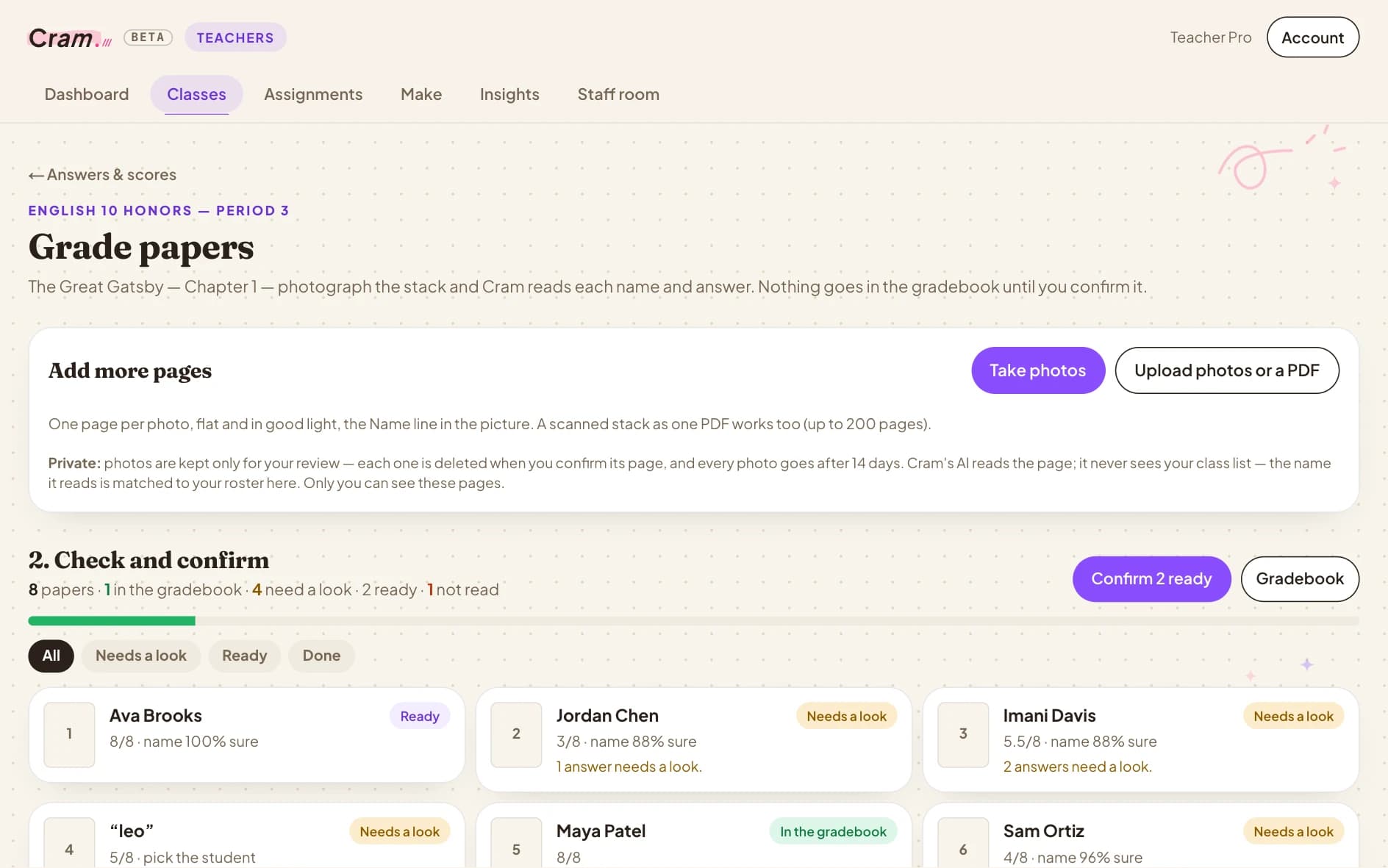
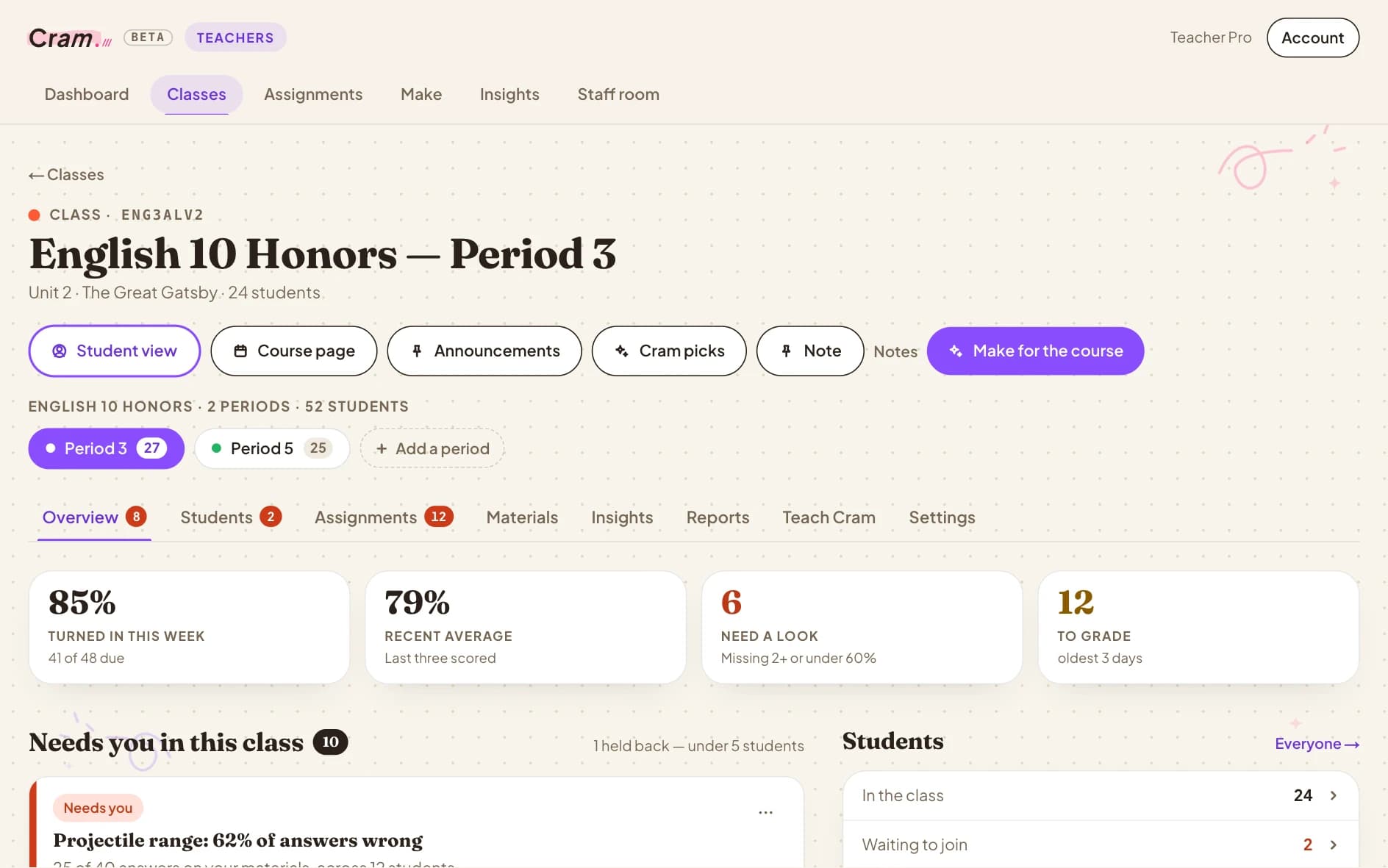
English 10 Honors, Period 3. Turned in this week, the recent average, who needs a look and what's left to grade — then exactly what needs you, with a reteach a click away.
Every screen on this page is the real Cram Class, with a made-up class in it. Click any screen to see it full size.
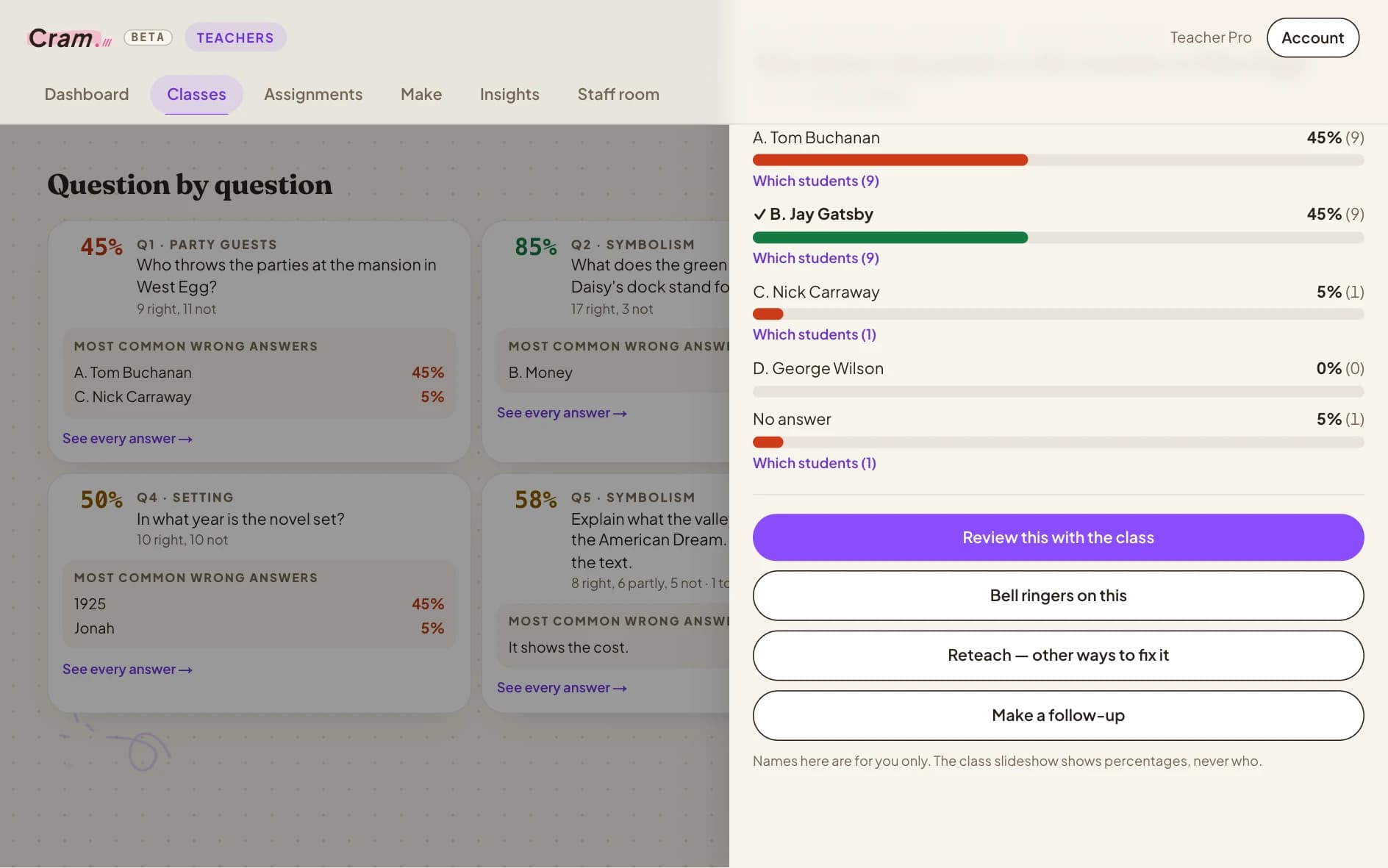
Your morning, already sorted.
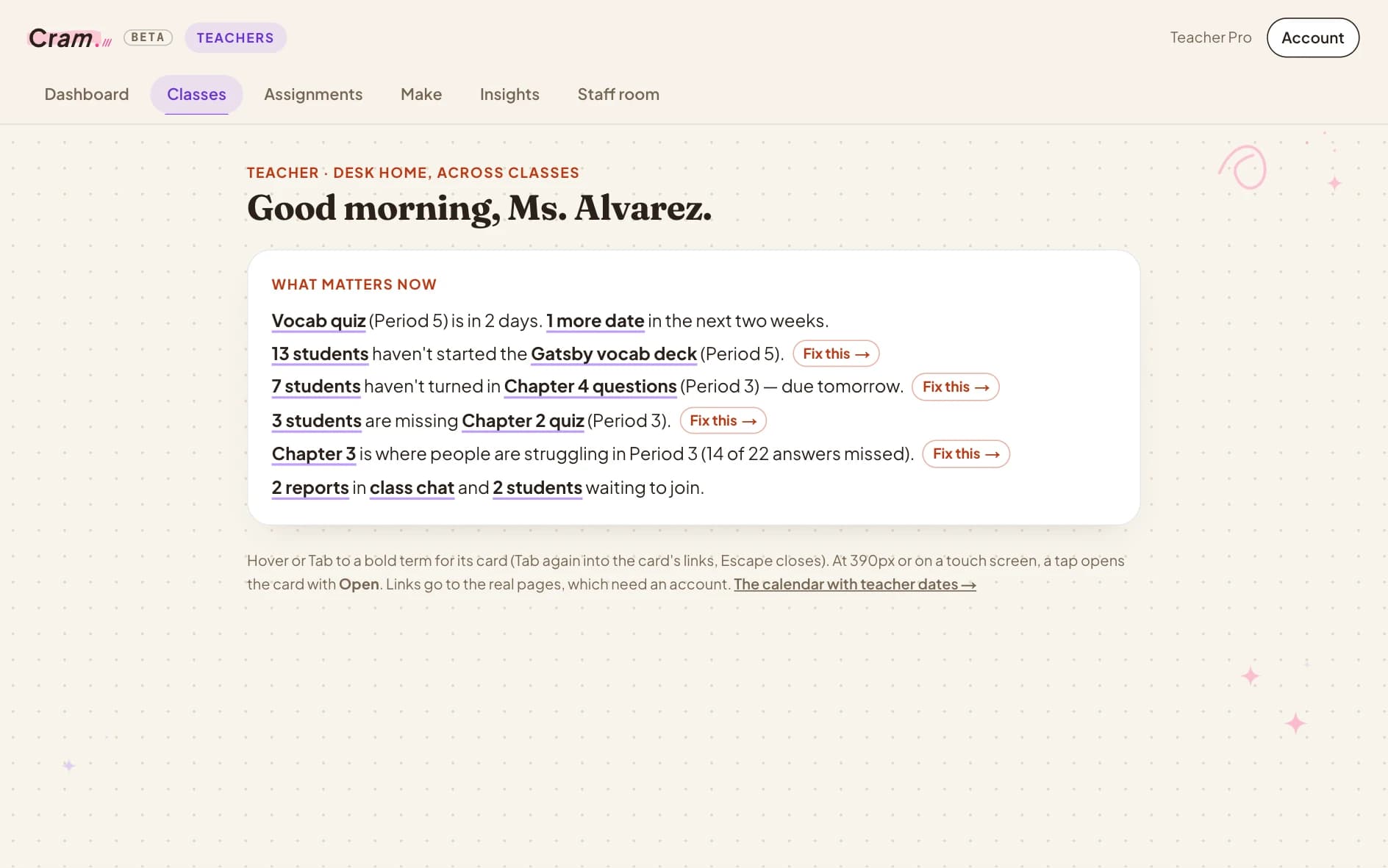
Open Cram and the day is laid out: what matters across every class, which students need you and why, and the one button that fixes it.
- What matters now, across every class
- Who needs a look — and why
- Fix this: a reteach, worksheet or deck in a click
- A good-morning email before first period
A class at a glance. Turned in this week, the recent average, who needs a look and what's left to grade — then the students and topics that need you, with why.
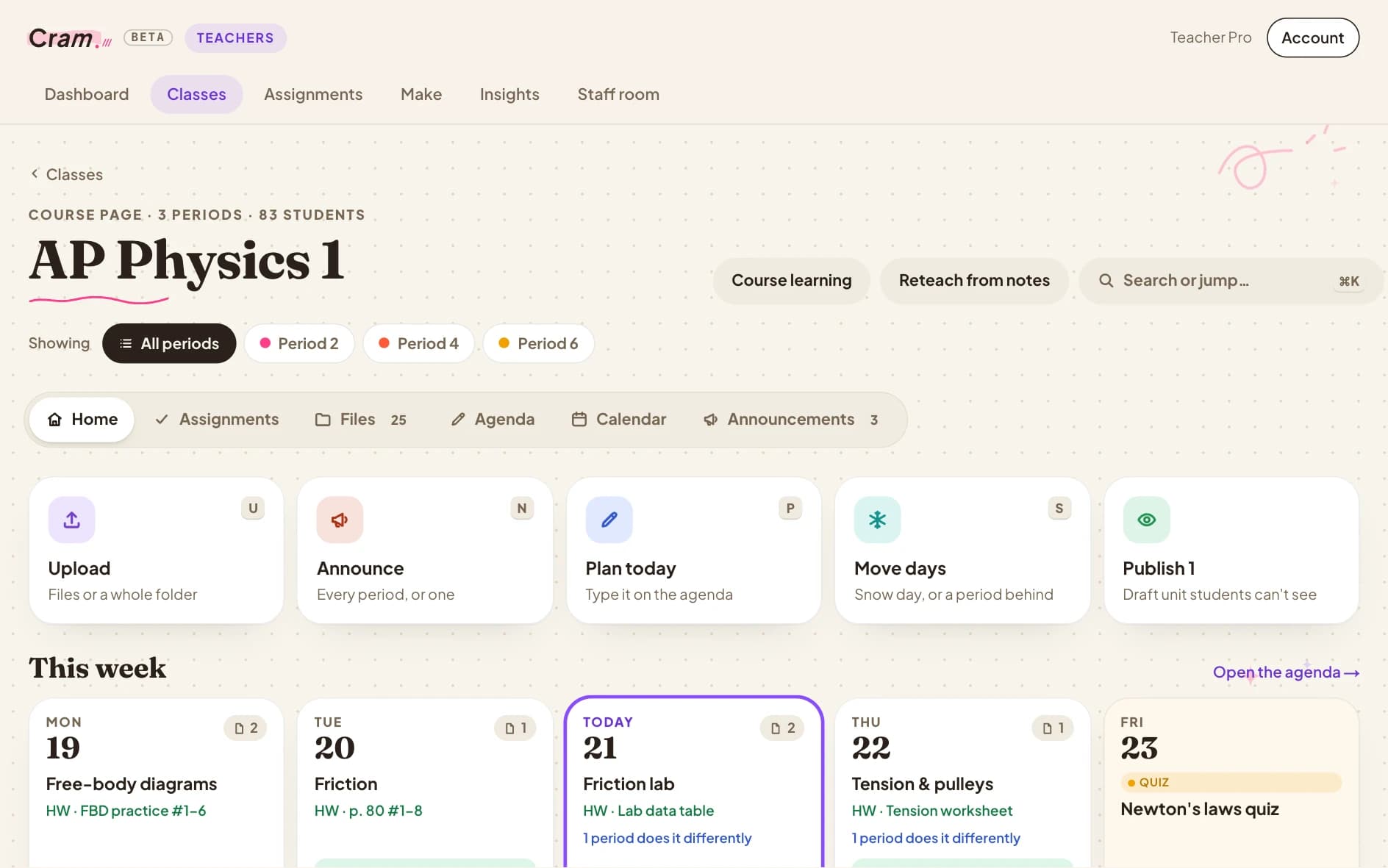
A course page students actually check.
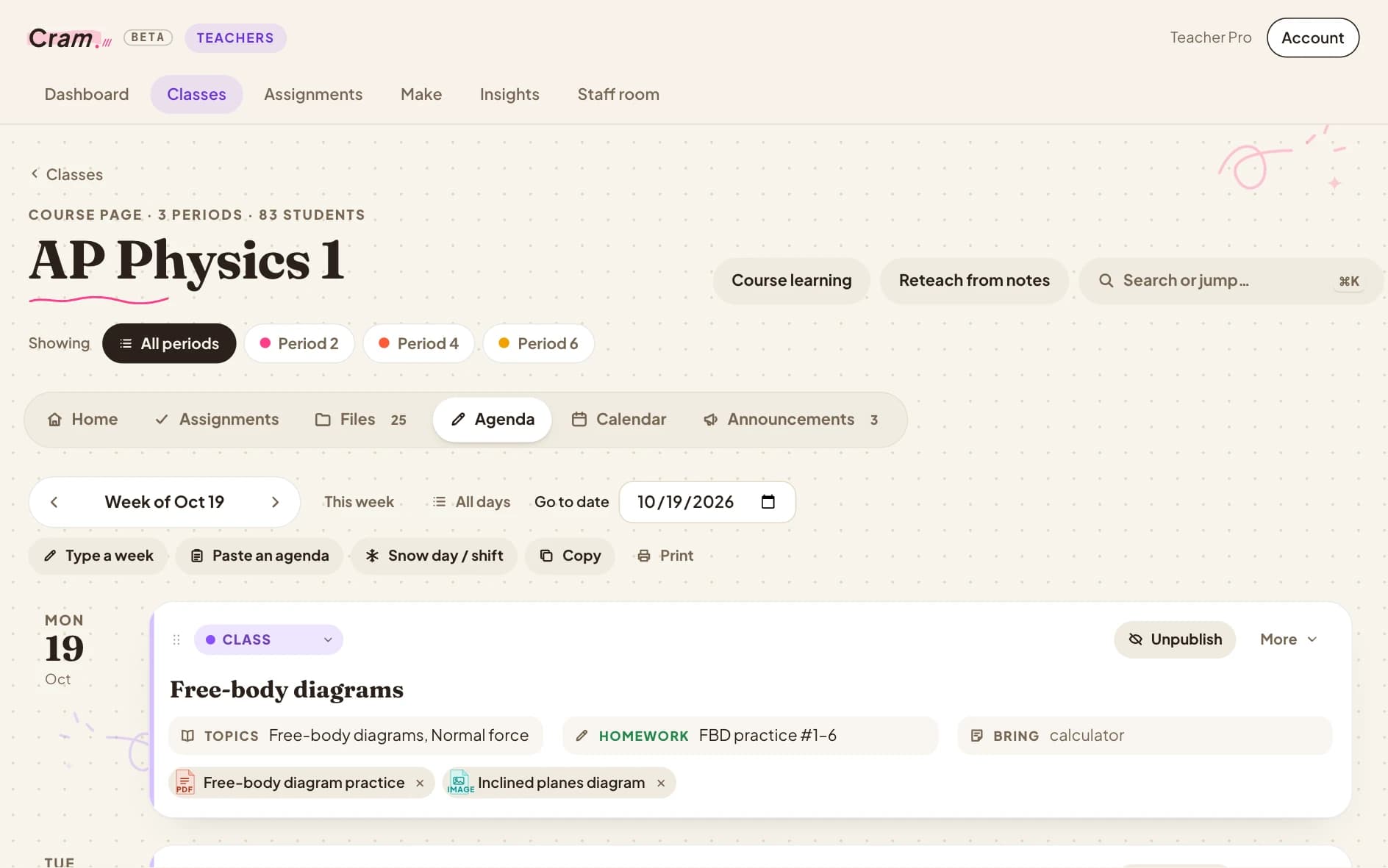
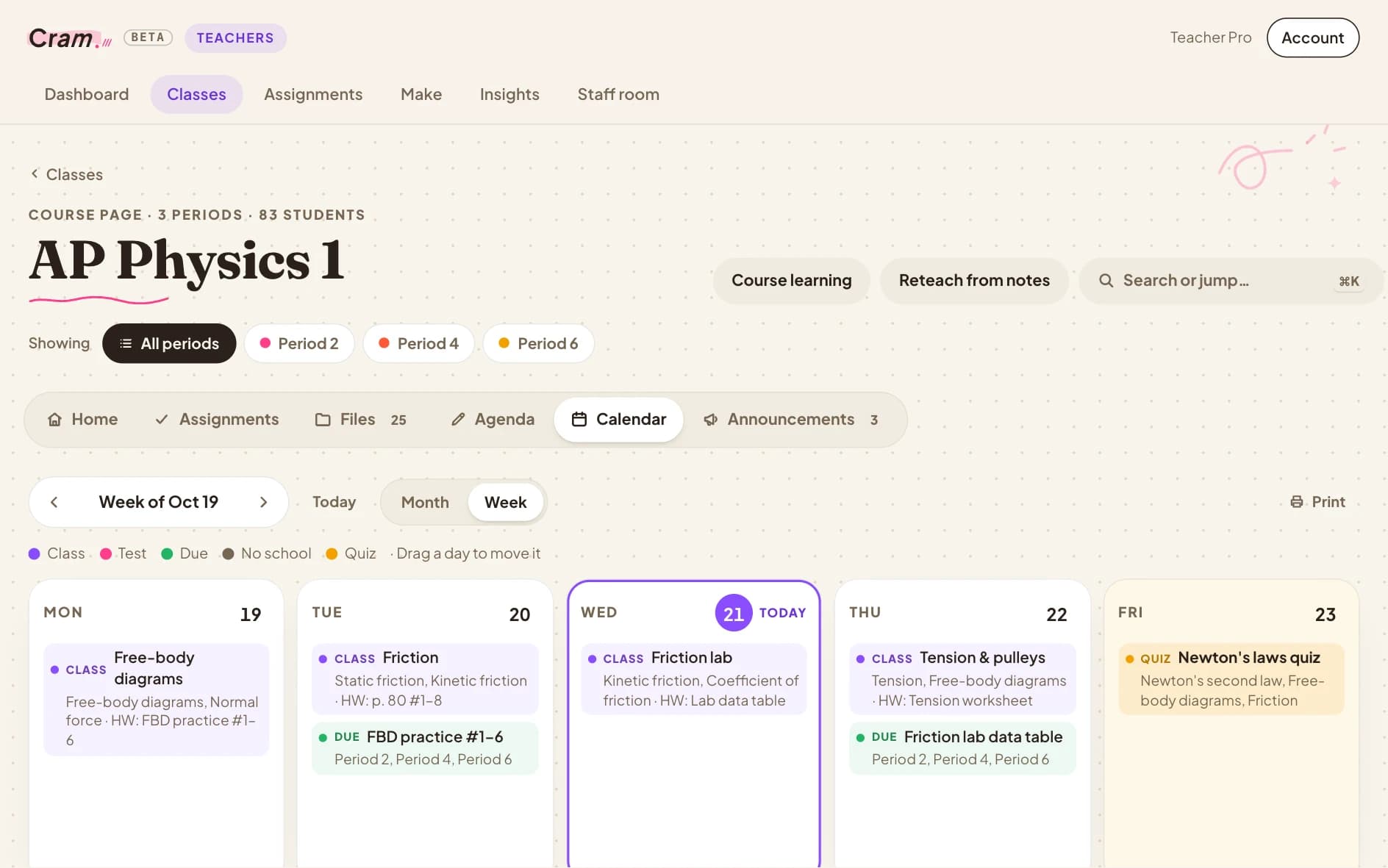
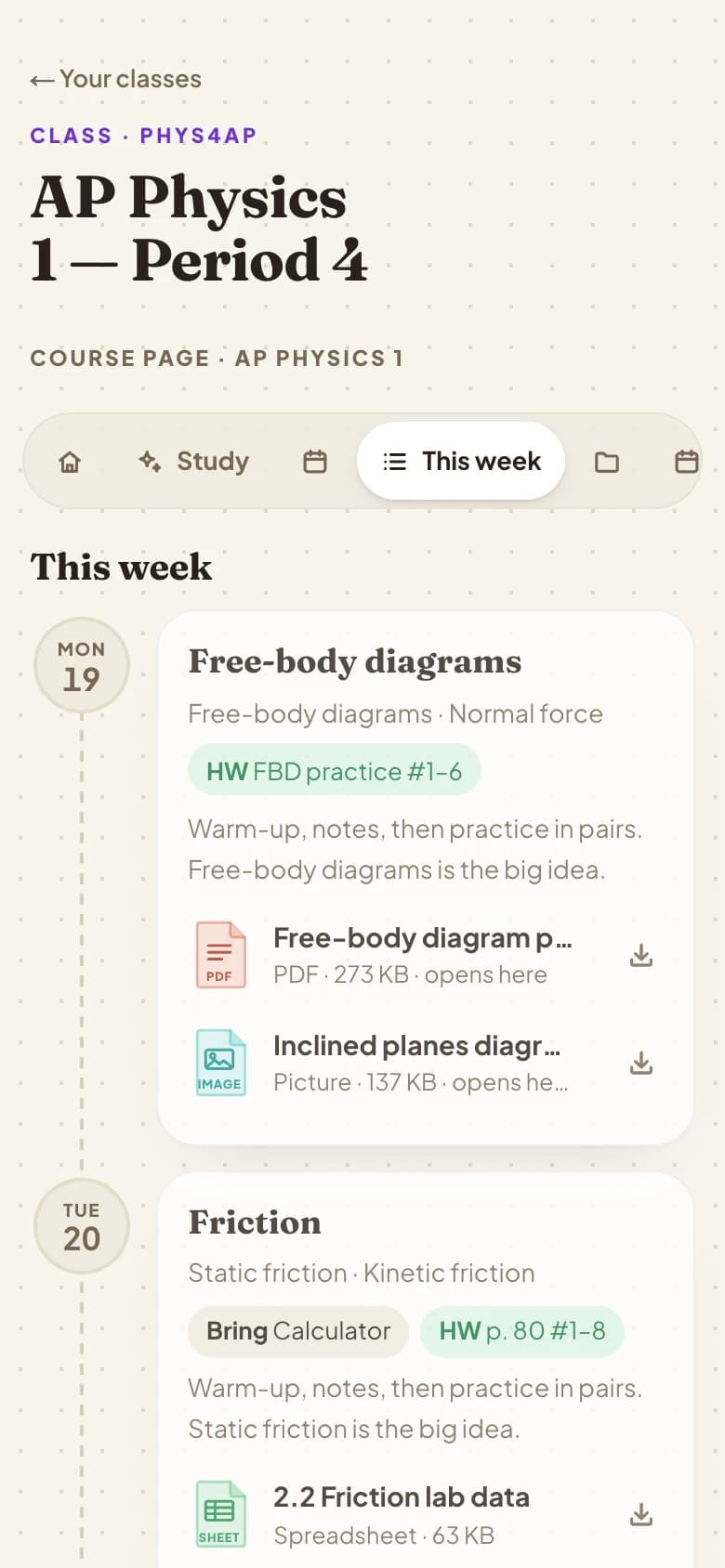
The daily agenda, the week, the calendar, announcements and files — for every period at once. Paste last year's plans and Cram puts them on the right days.
- Daily agenda: lesson, homework, what to bring
- Paste a week of plans — it lands on the right days
- Snow day? Shift everything in one move
- Pinned and scheduled announcements, per period
Your course page. Upload, announce, plan today and move days in one tap; this week's lessons at a glance; the next quiz counting down.
Moving from Canvas is the easy part.
Connect your Canvas course once. Modules, files, pages and due dates come across, ready to edit. Your access token is used once and never stored. Starting fresh instead? Drop in last year's folder and your first week is up in a minute.
Your slides in. A week of materials out.
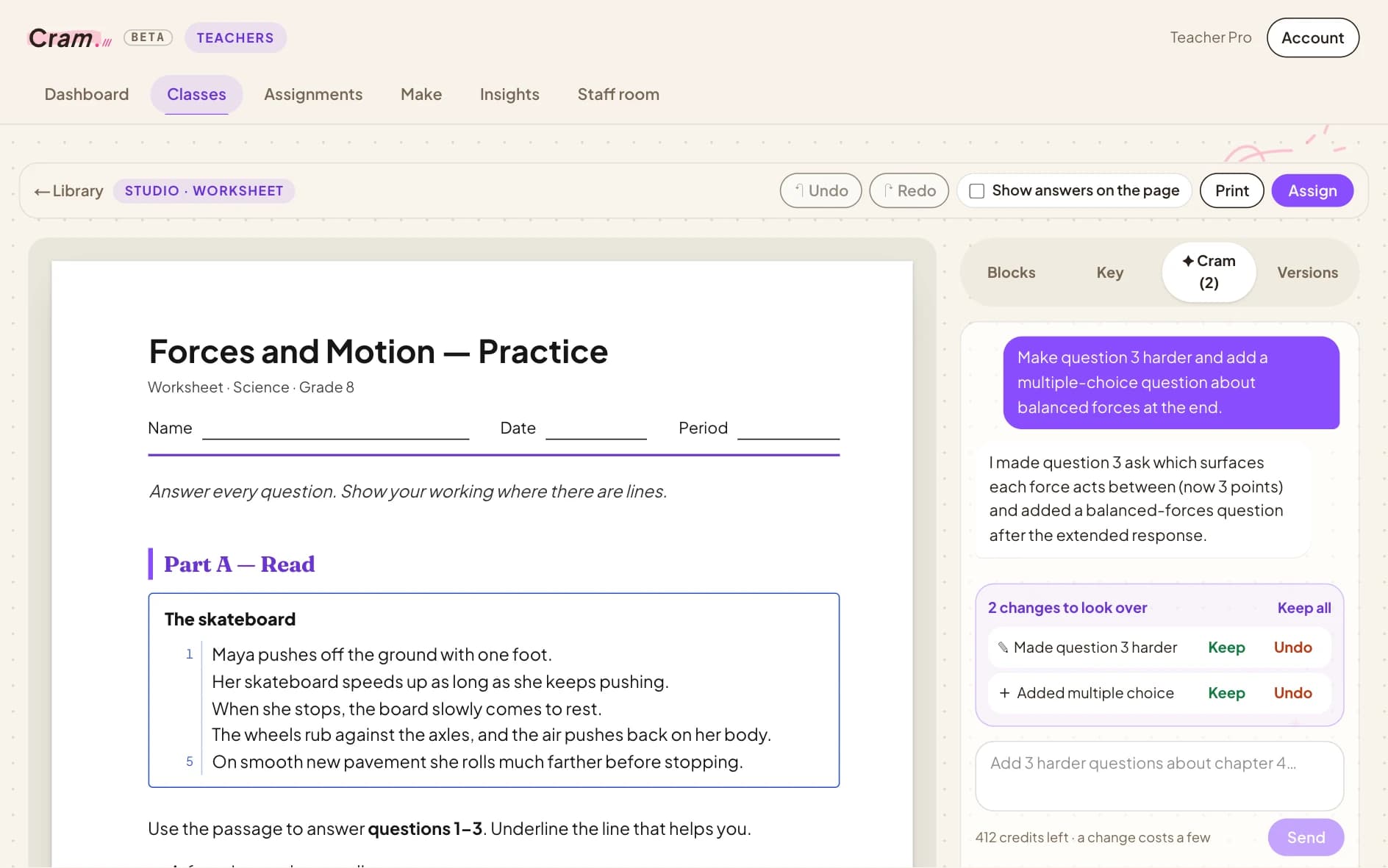
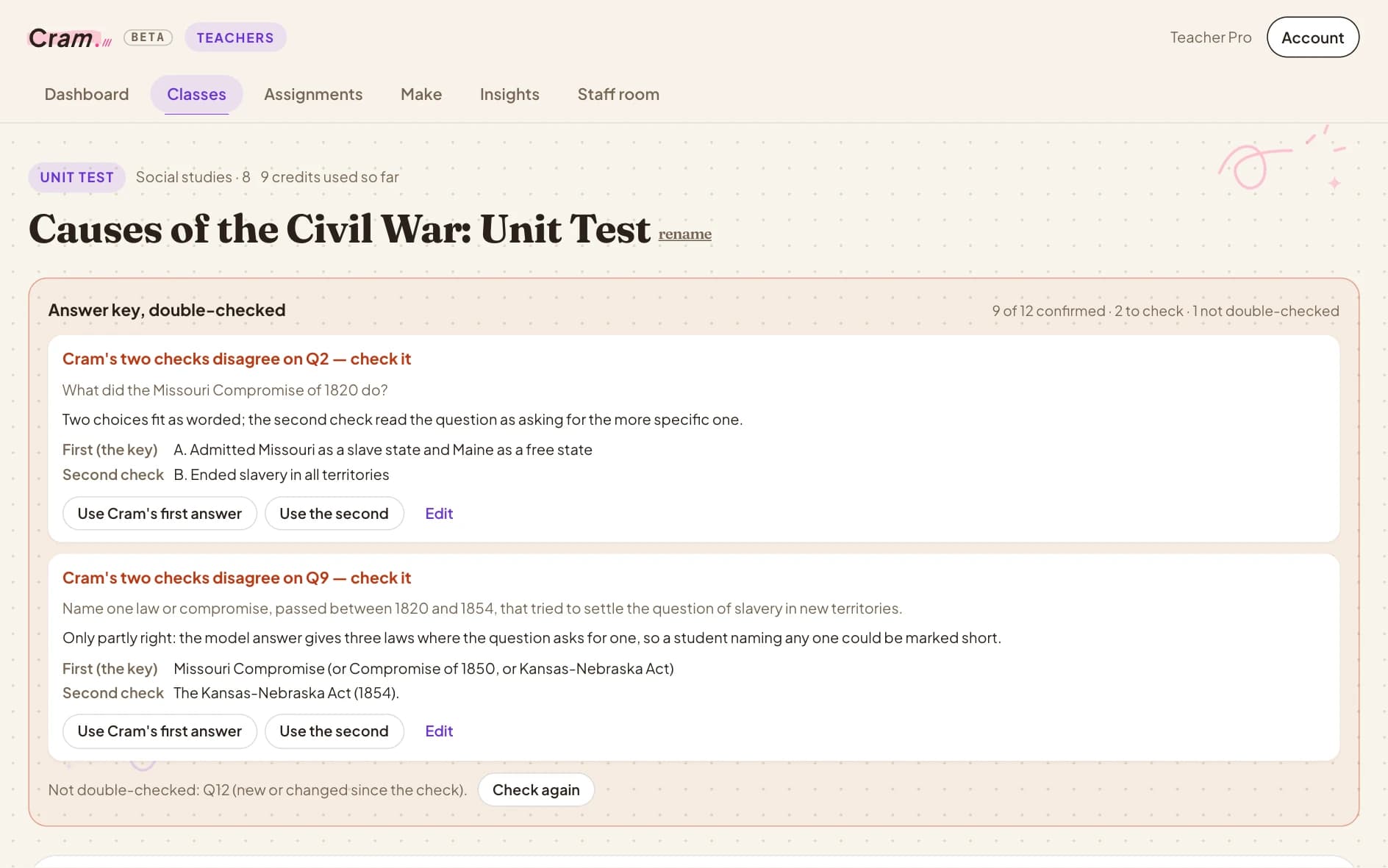
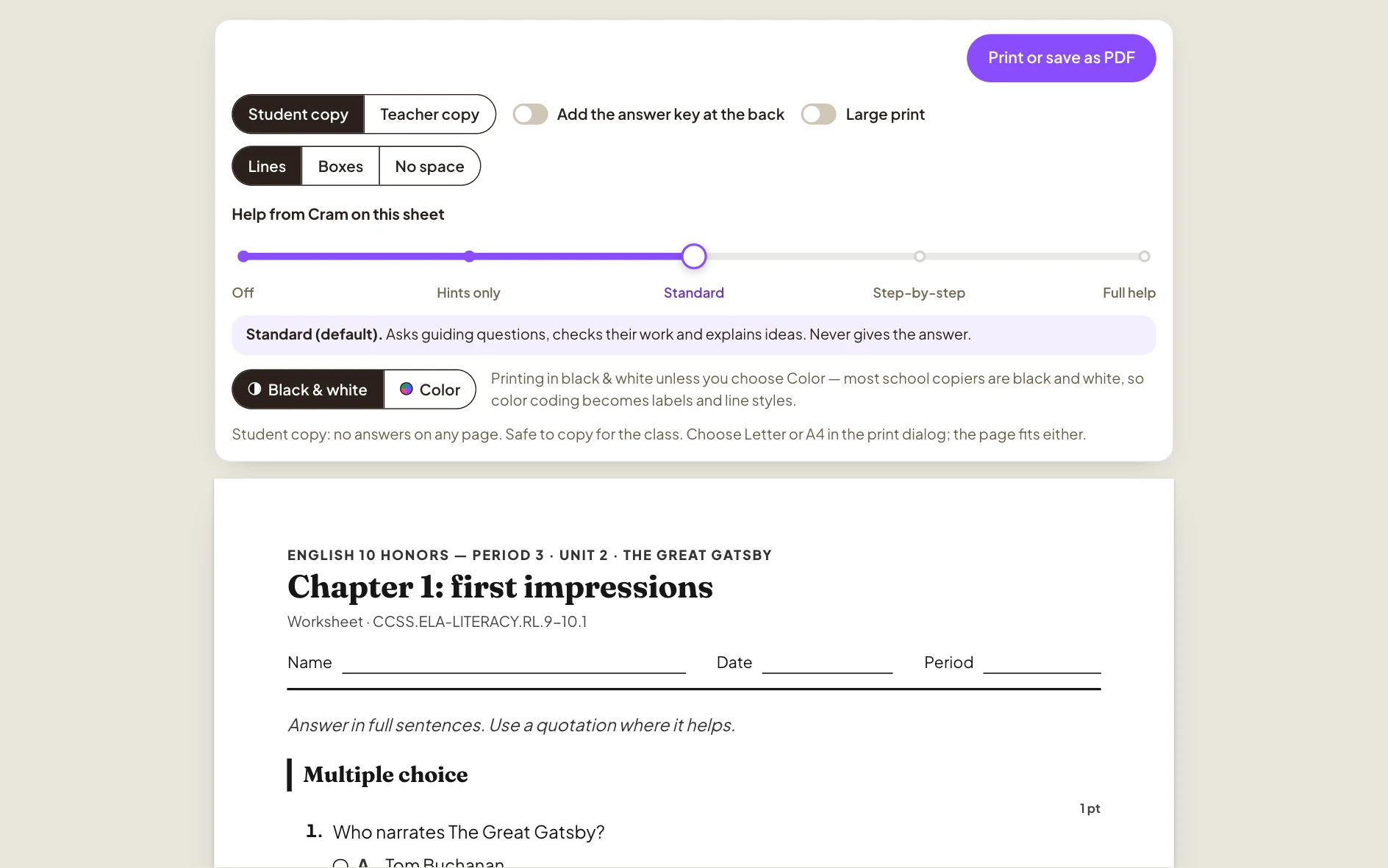
Ask for it in a sentence or start from your slides. Every worksheet, quiz and test opens in a studio where you — or Cram — can change anything, and every answer key is checked twice.
- Tests, quizzes, readings, exit tickets, decks
- Edit the page — or ask Cram to
- Answer keys double-checked
- Prints in black and white with a QR code
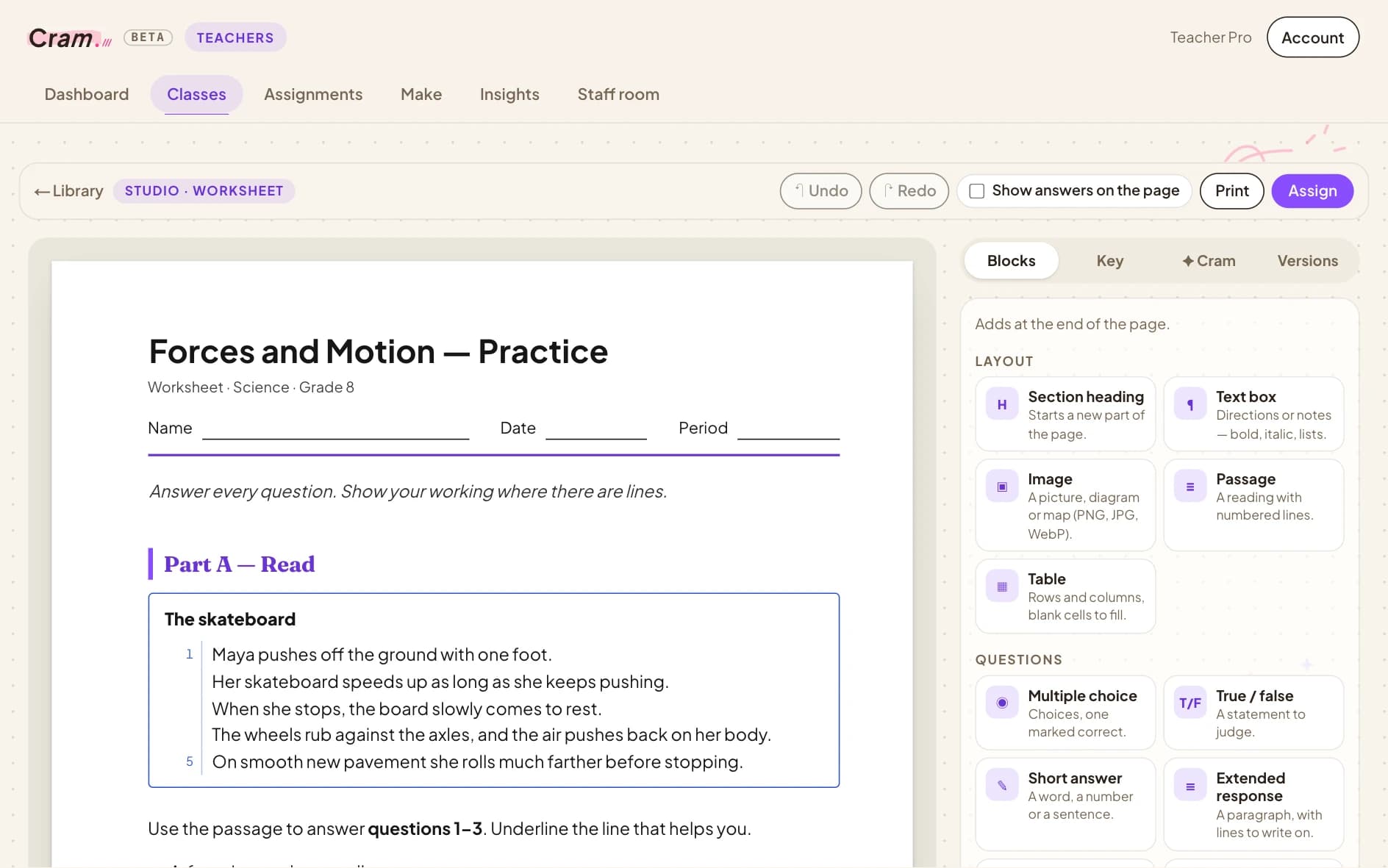
What do you need?. Describe it in a sentence — a unit test, a quiz, a reading with questions, an exit ticket, flashcards — or start from your slides.
Assignments, set up in a minute.
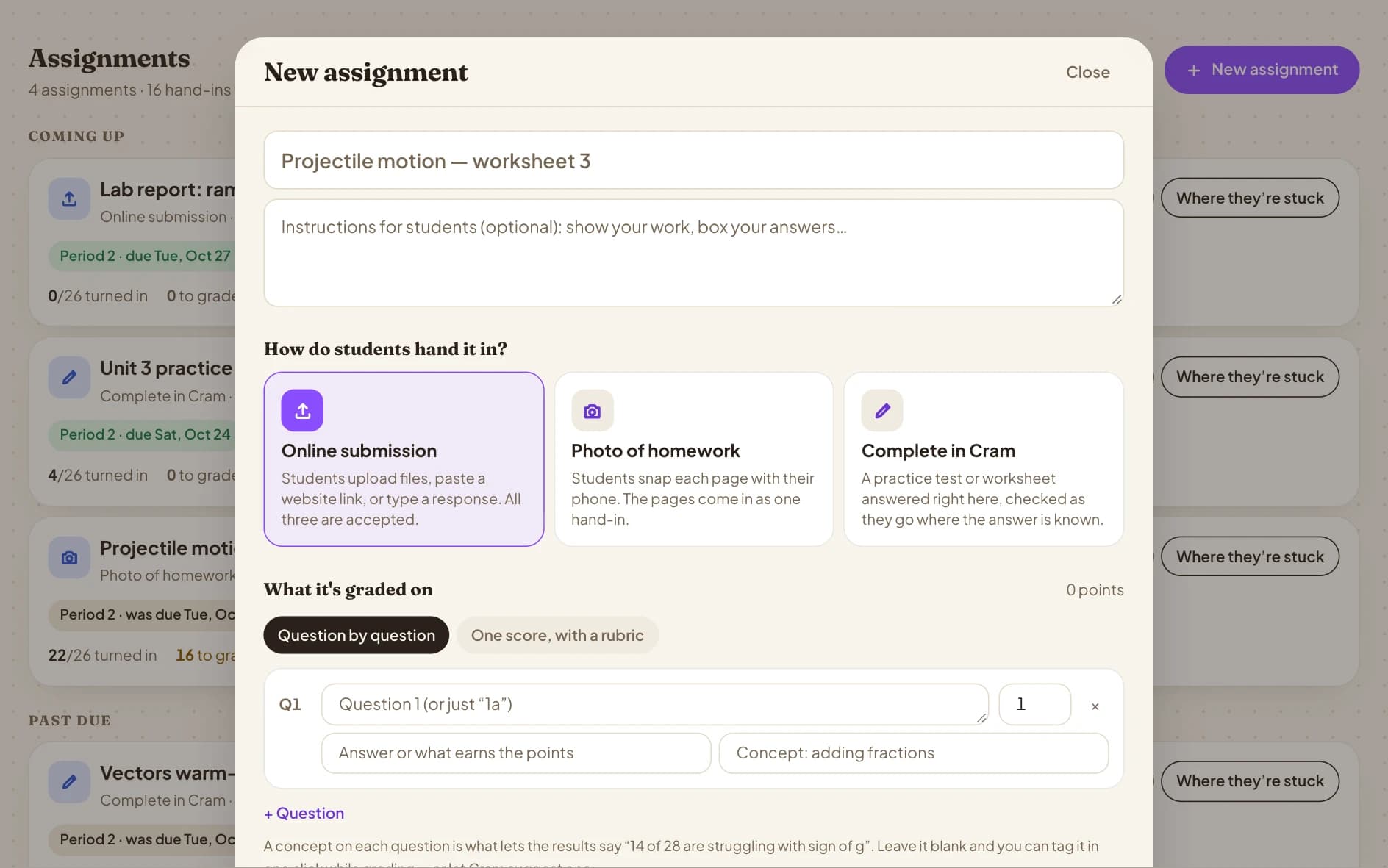
Online or on paper, one class or three periods, everyone or a few students. Due dates, late rules, time limits, accommodations and how much the tutor can help — all on one sheet.
- Homework, Quiz, Practice and Test presets
- Per-student extra time, attempts, extensions
- Cram picks: a set for each student
- Tag each question's concept for better insights
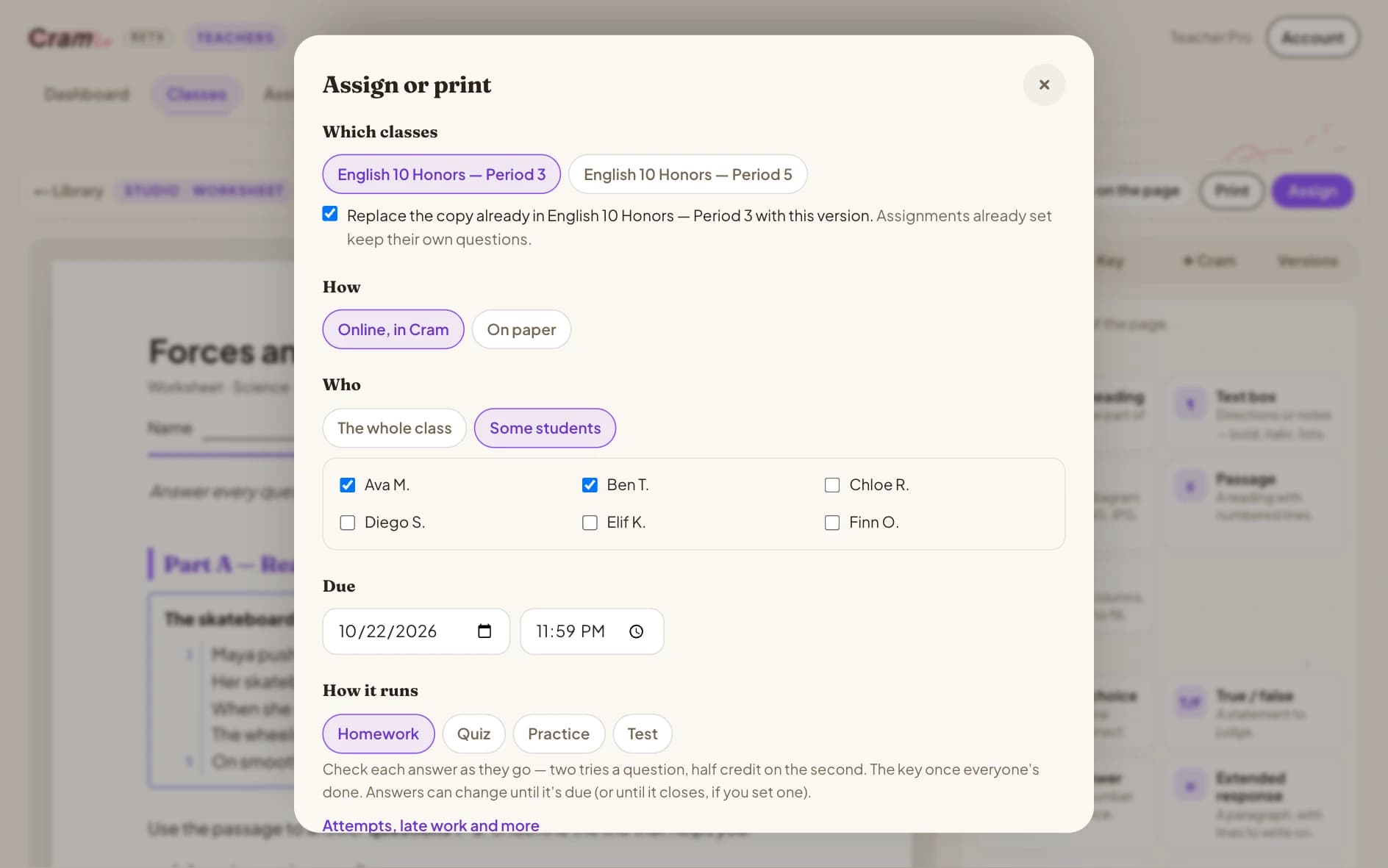
Create an assignment. How it's handed in, how it's graded, the concept behind each question, and the files that go with it.
Students hand it in from anywhere.
A photo of their paper, a file, a link or answers typed right in Cram — on a laptop or a phone. Keyed answers are graded the second they land.
- Photos of paper, files, links or typed
- Timed quizzes with math keys
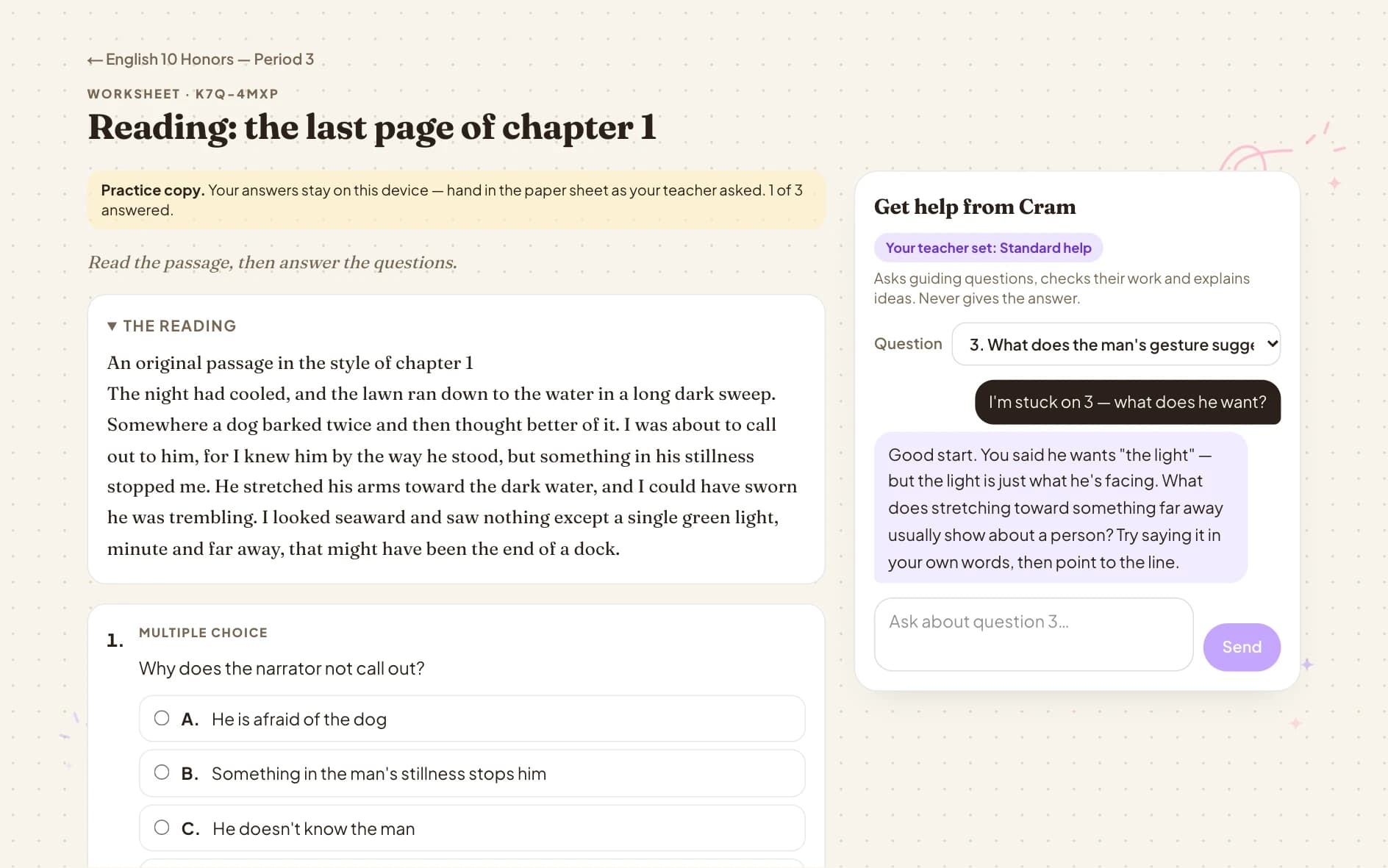
- Tutor help at the level you set — or none
- Grades and feedback when you release them
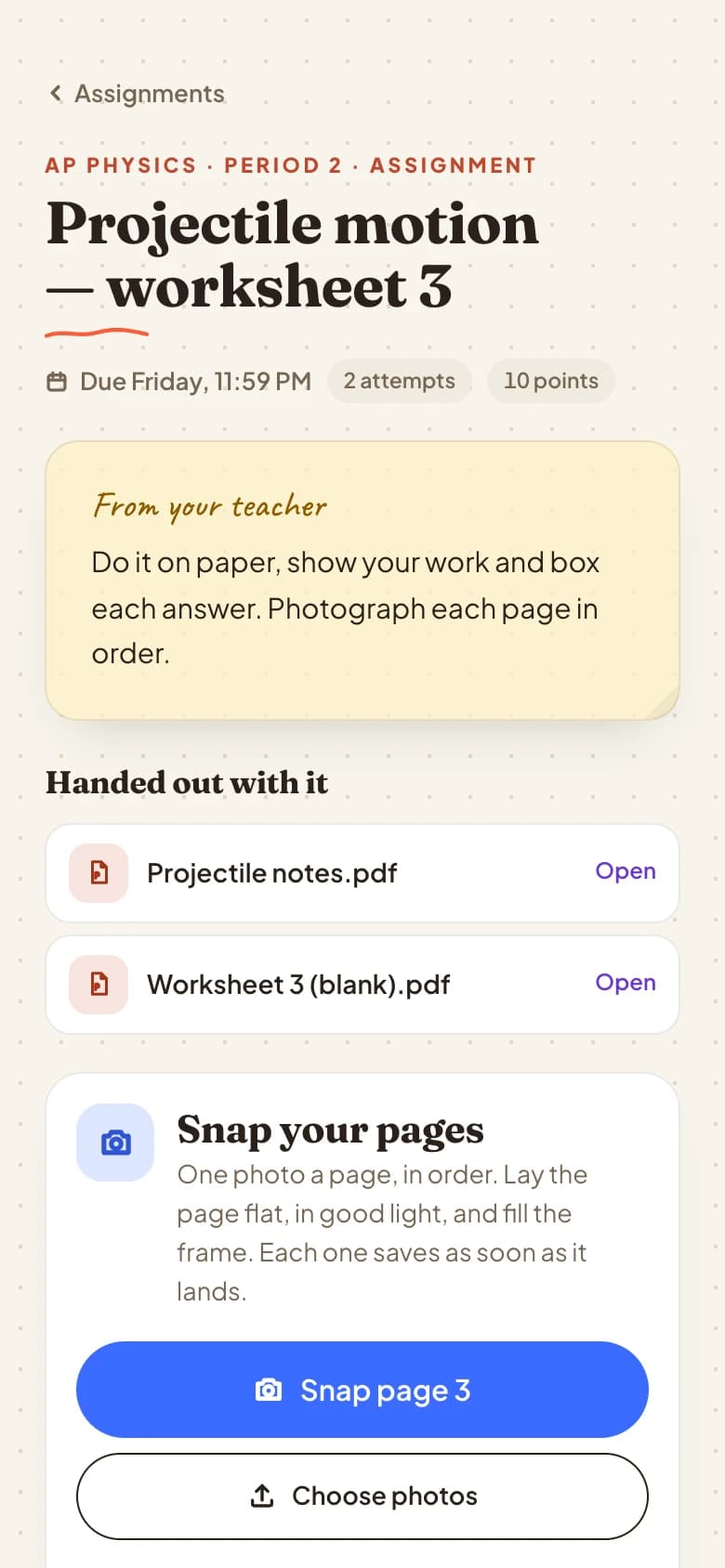
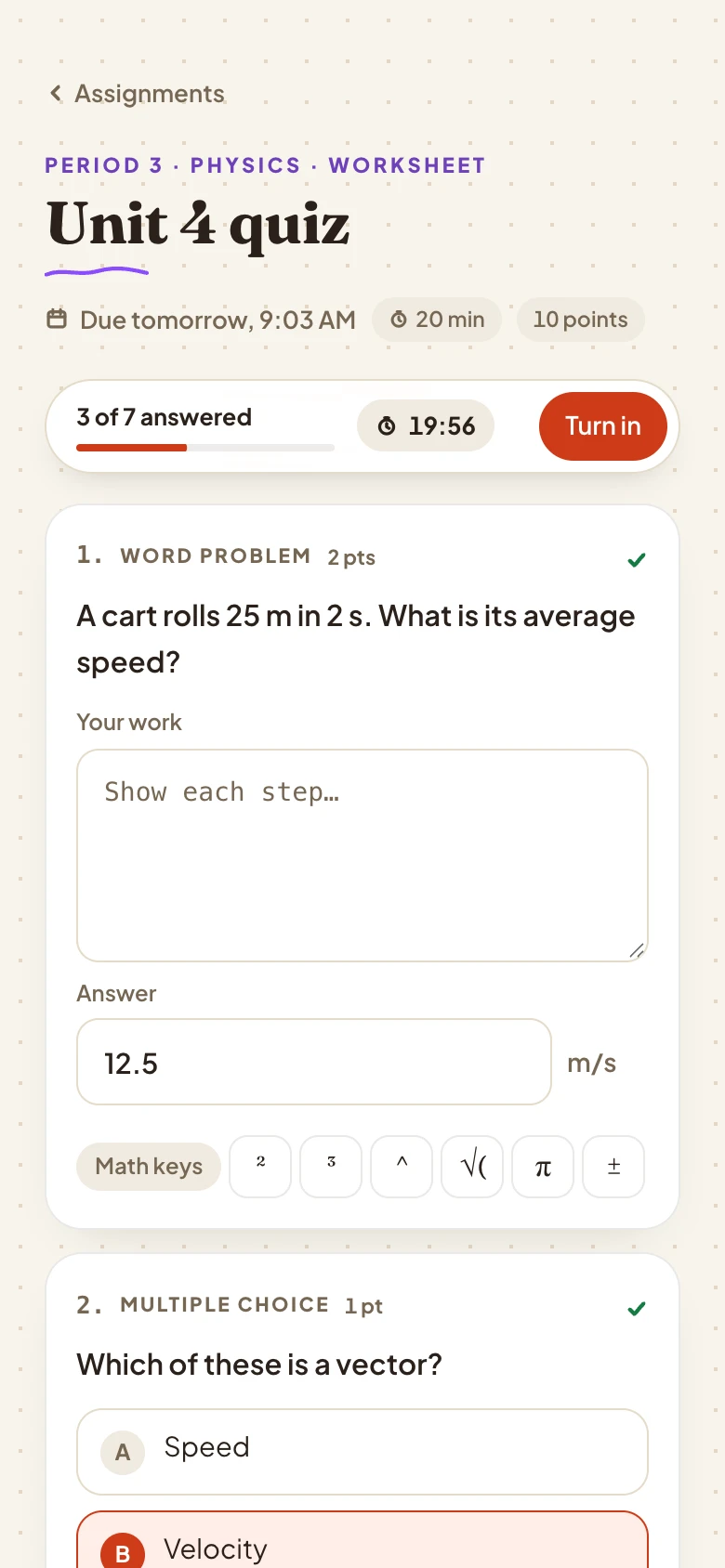
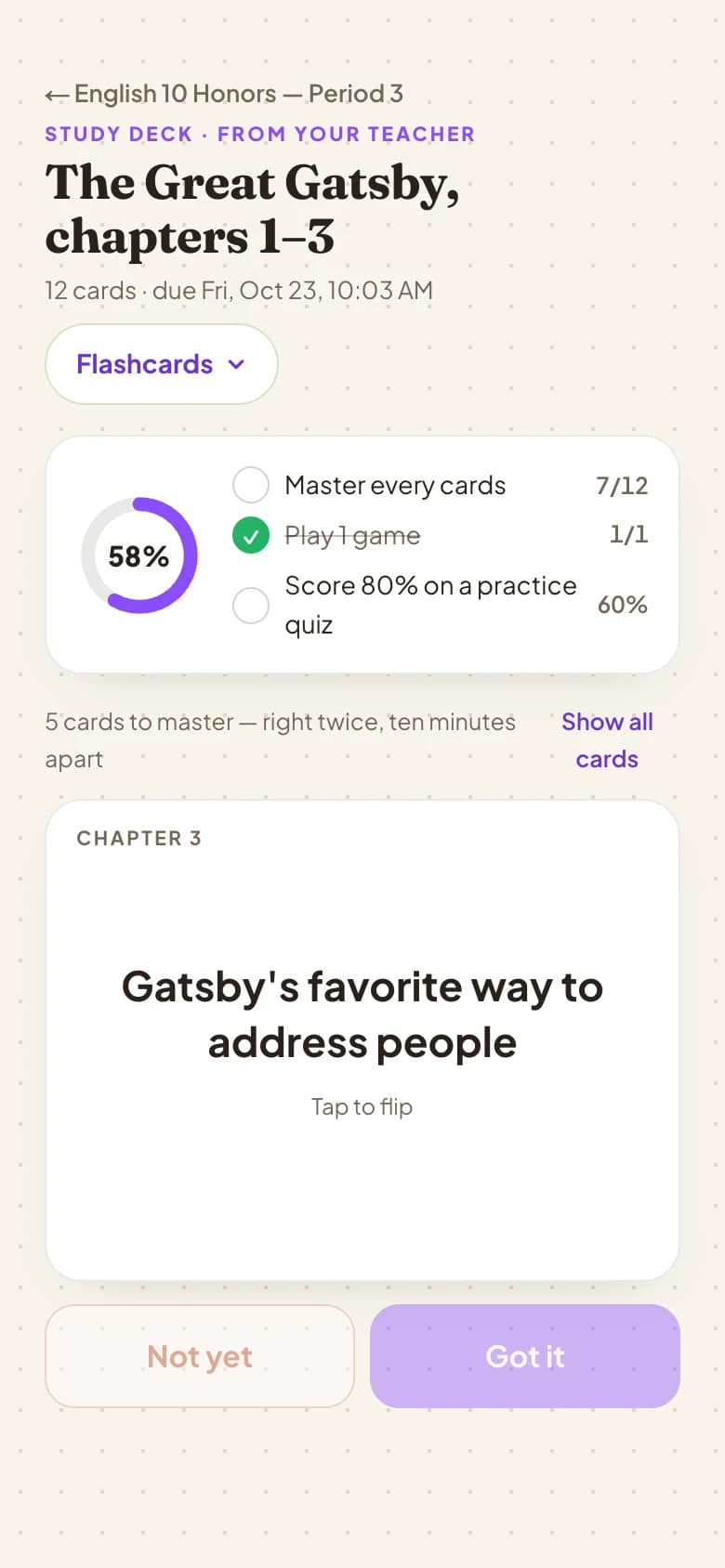
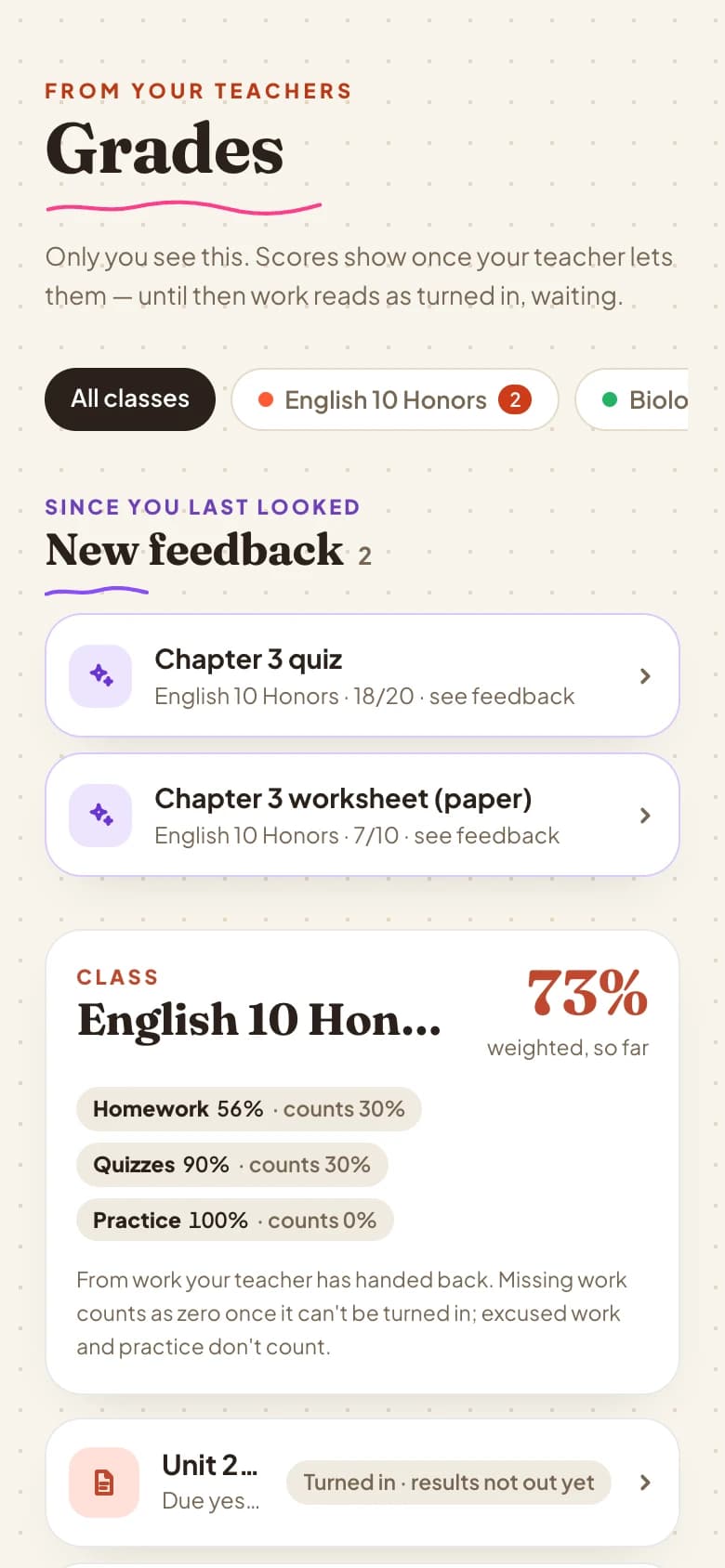
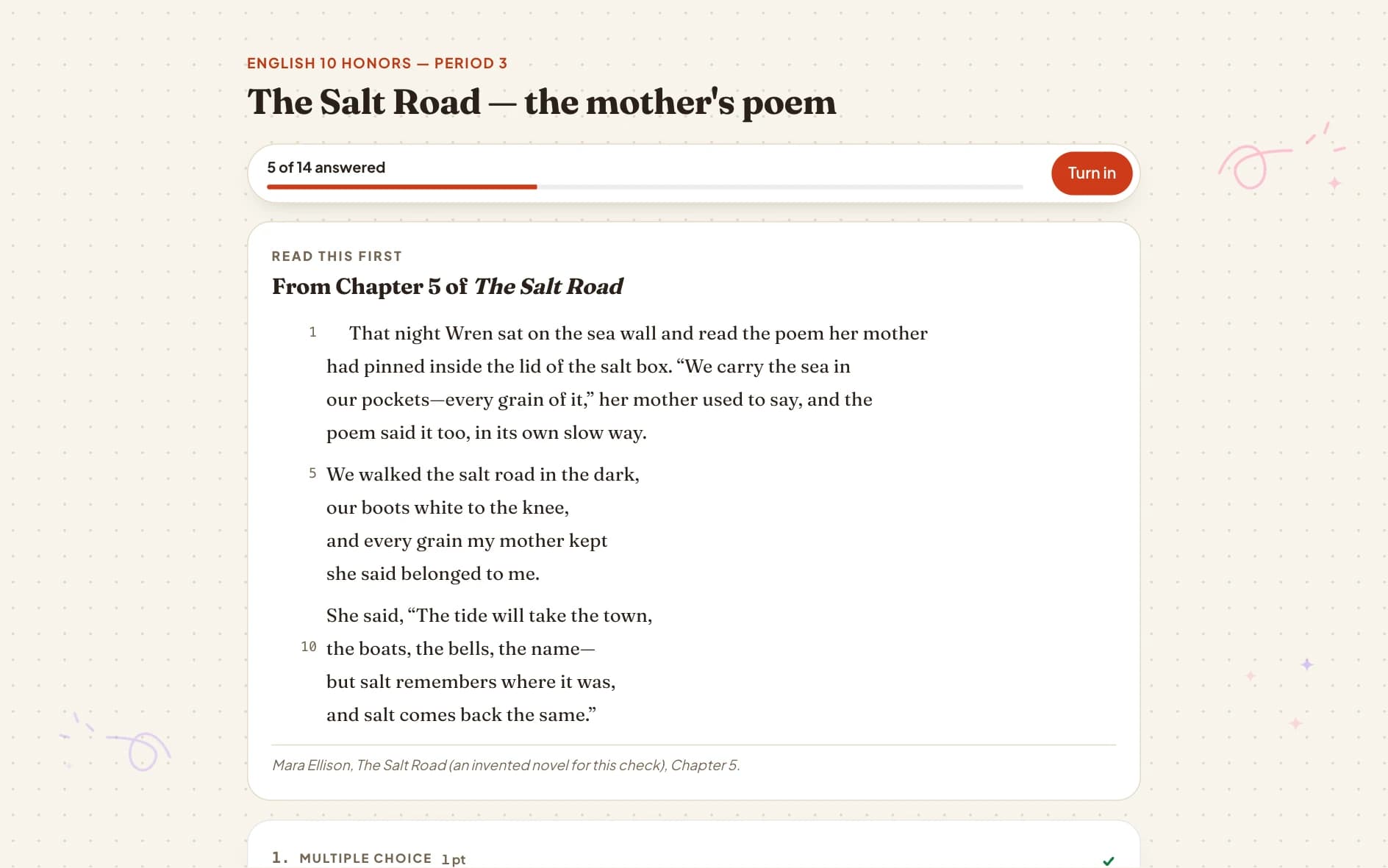
Hand in a file. A file, a website link or typed text — with the handouts that came with it.
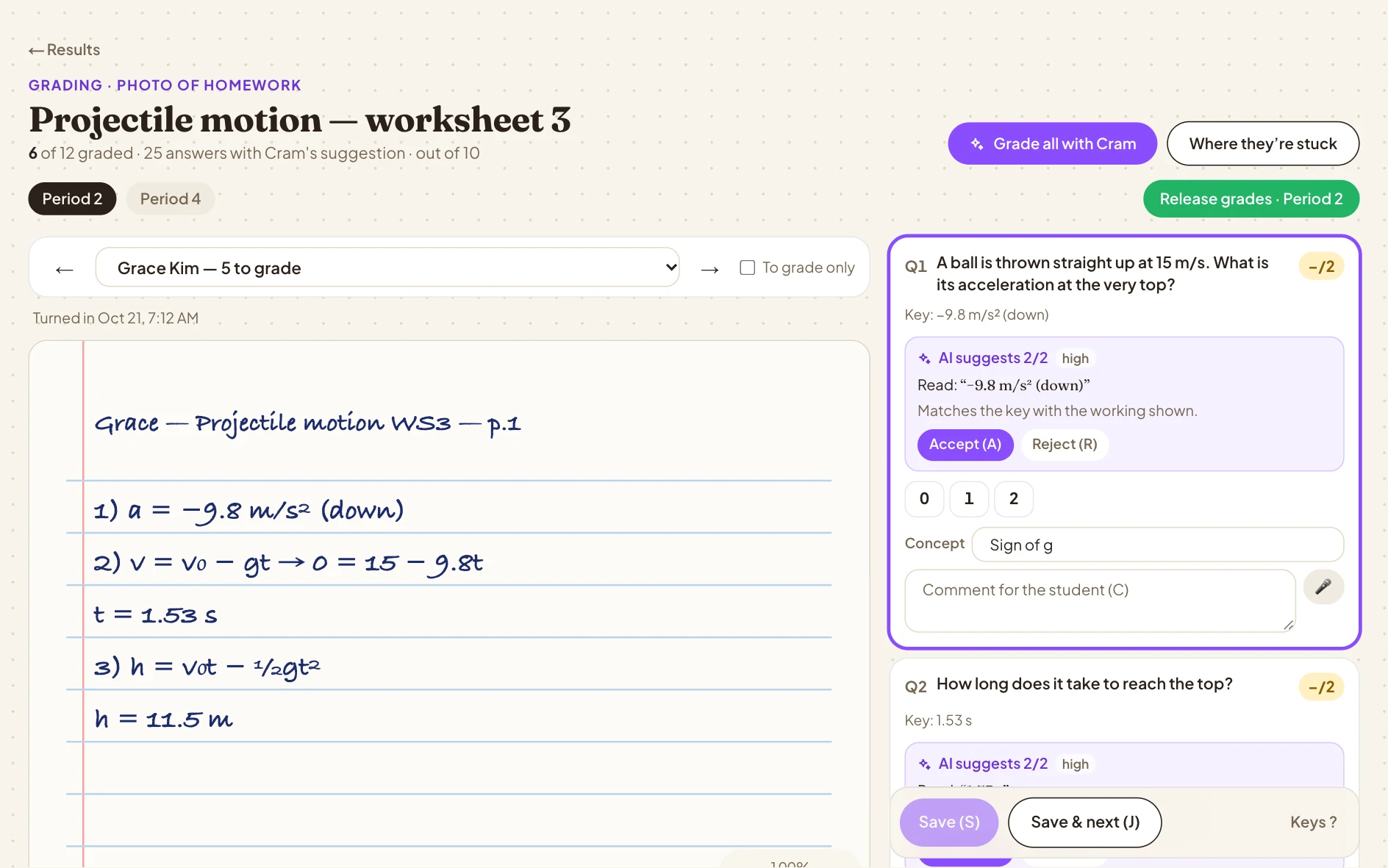
The Cram Grader. The first pass is done.
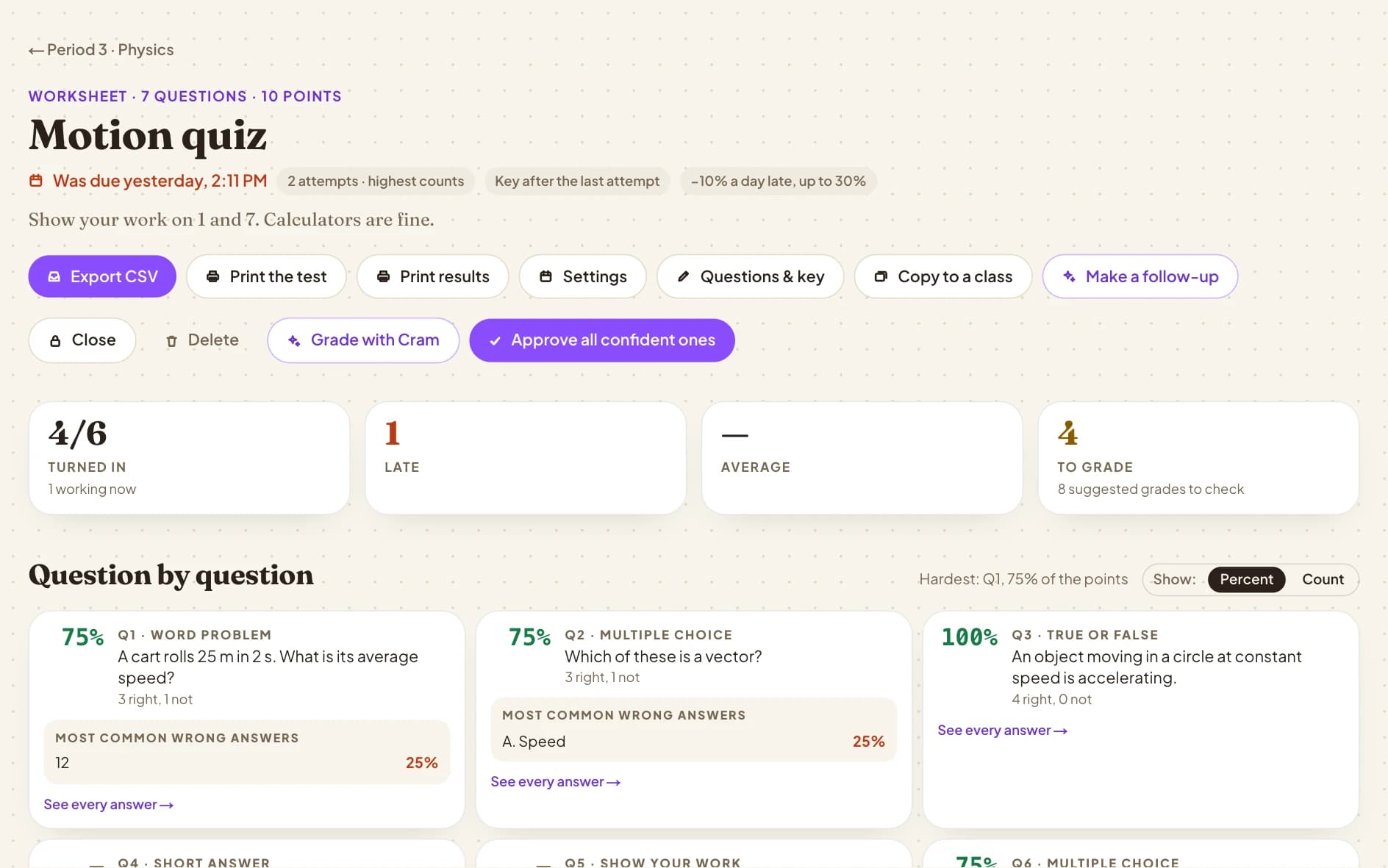
Keyed answers grade themselves. Written answers come with Cram's suggested score and what it read — you accept, change or hand back, then J to the next student. Even a stack of paper: photograph it and confirm.
- Suggested scores on written work — you decide
- Keyboard all the way: A, R, J
- Grade a paper stack from photos
- Feedback, comments and when scores release
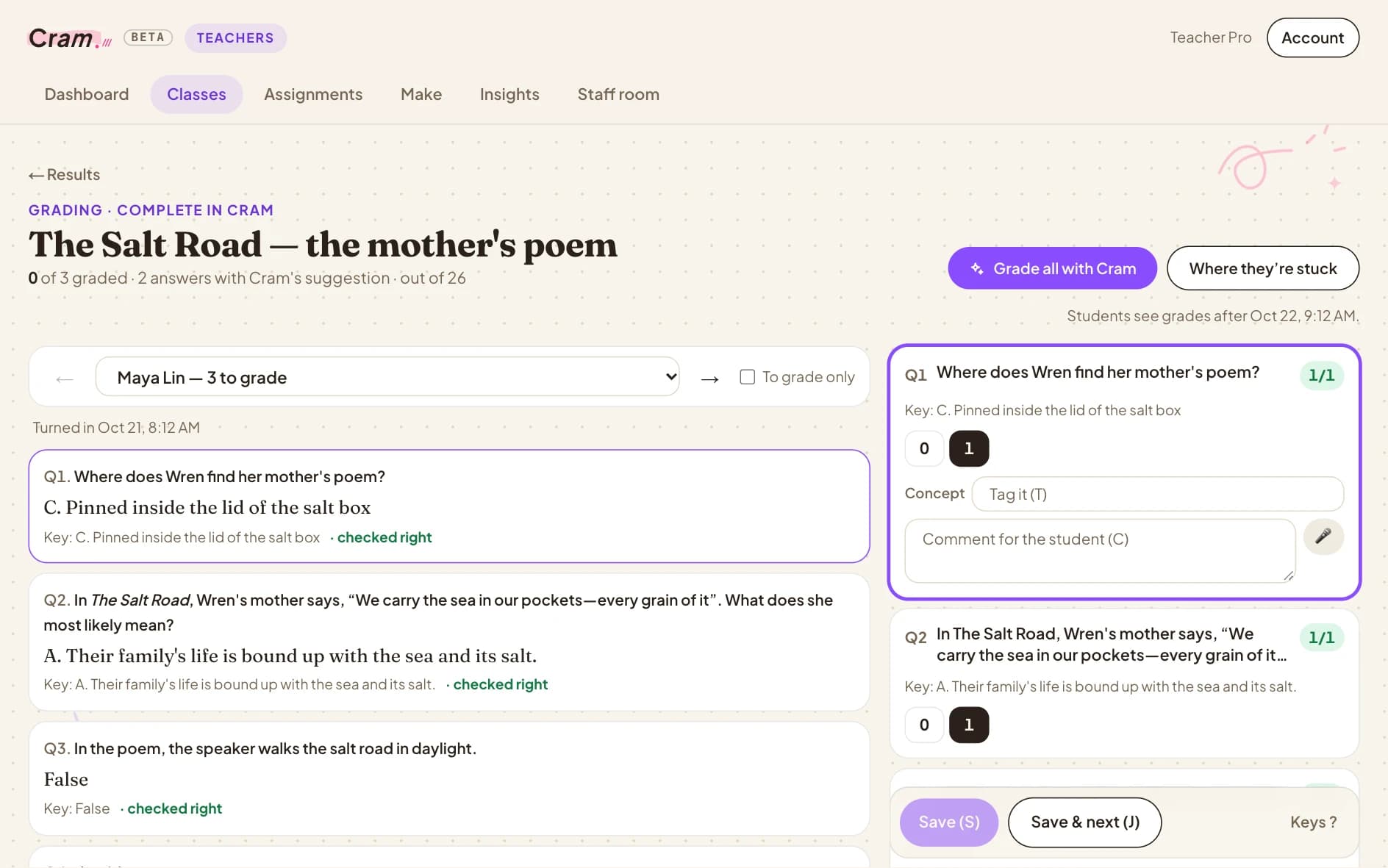
The Cram Grader. The work on the left, the questions on the right. Cram's suggested score and what it read; Accept (A), Reject (R), Save & next (J).
Suggested grades on written answers come with Teacher Max and District. Keyed answers grade automatically on free Teacher Pro.
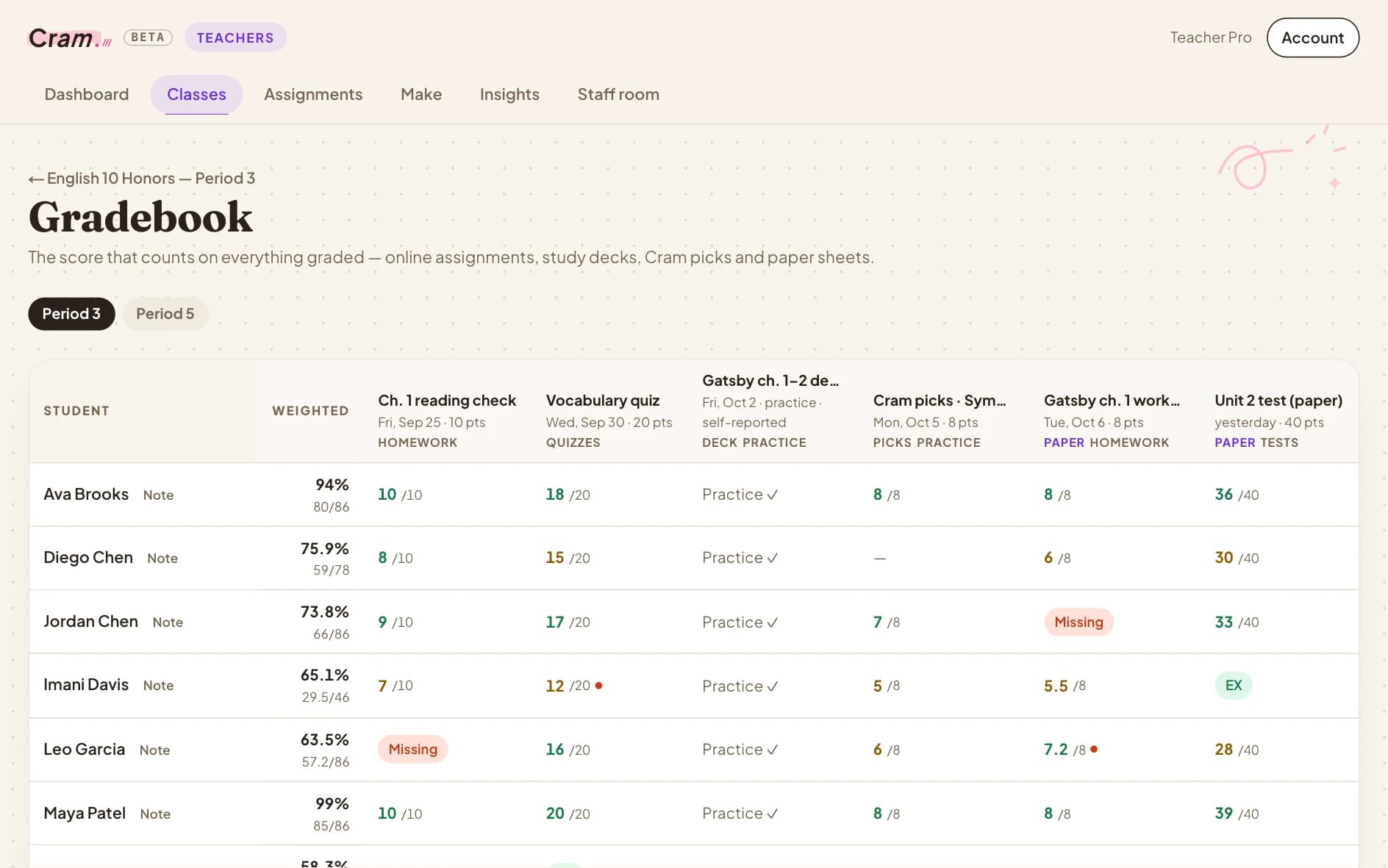
One gradebook for everything.
Online work, study decks, Cram picks and paper tests, side by side — weighted your way, with late, missing and excused handled, and a history of every change.
- Weighted categories
- Late, missing and excused, automatically
- Paper scores beside online ones
- Exports to Canvas or Google Classroom CSV
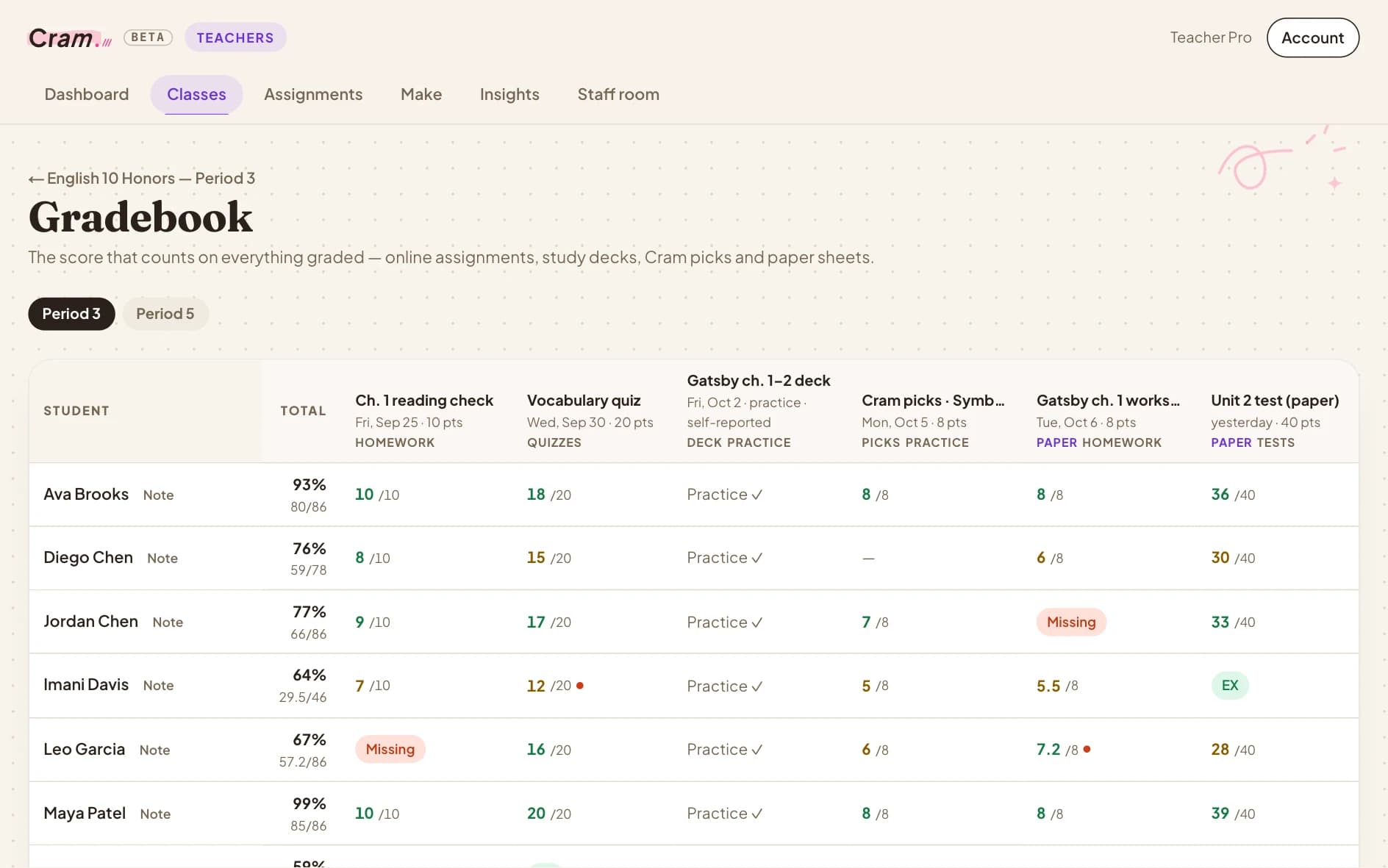
One gradebook. Homework, quizzes, decks, picks and paper tests, weighted by category, with the class average under each.
See what didn't click — before the test.
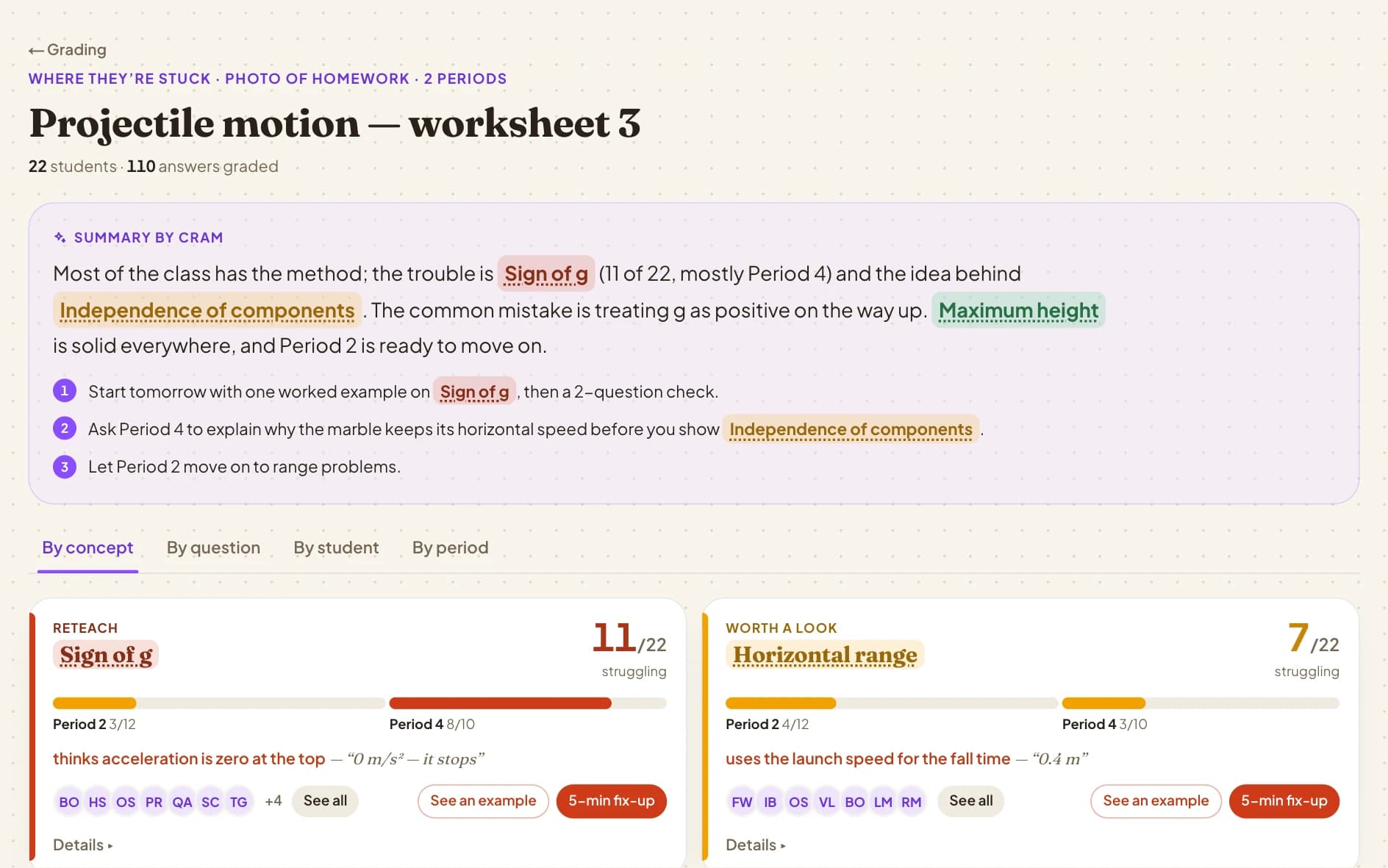
Not just a column of percentages: which concepts the class missed and the mistake behind it, review slides from the most-missed questions, answers to any question about your class — and whether your fix worked.
- Results by concept, with the common mistake
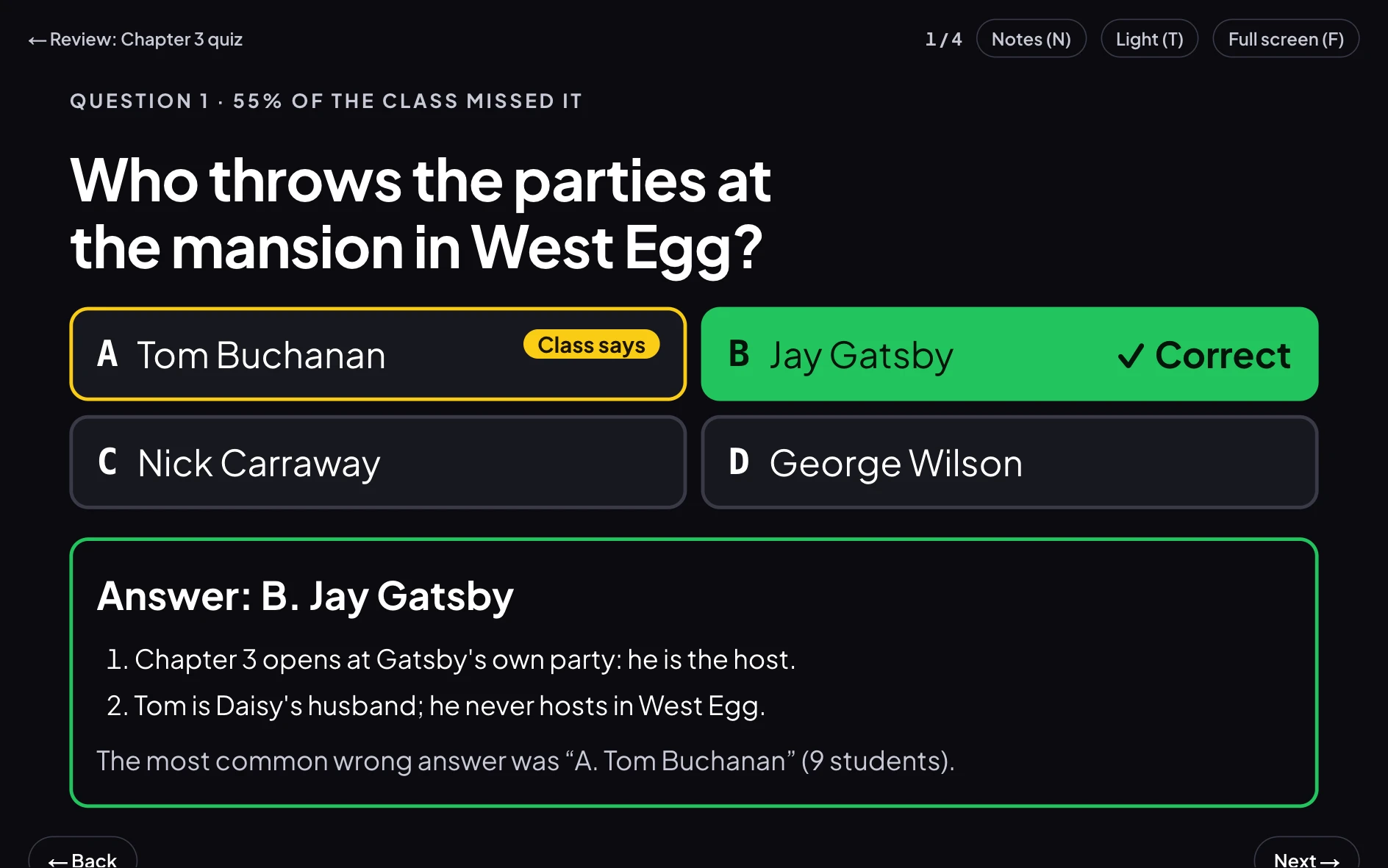
- Review slides from the most-missed questions
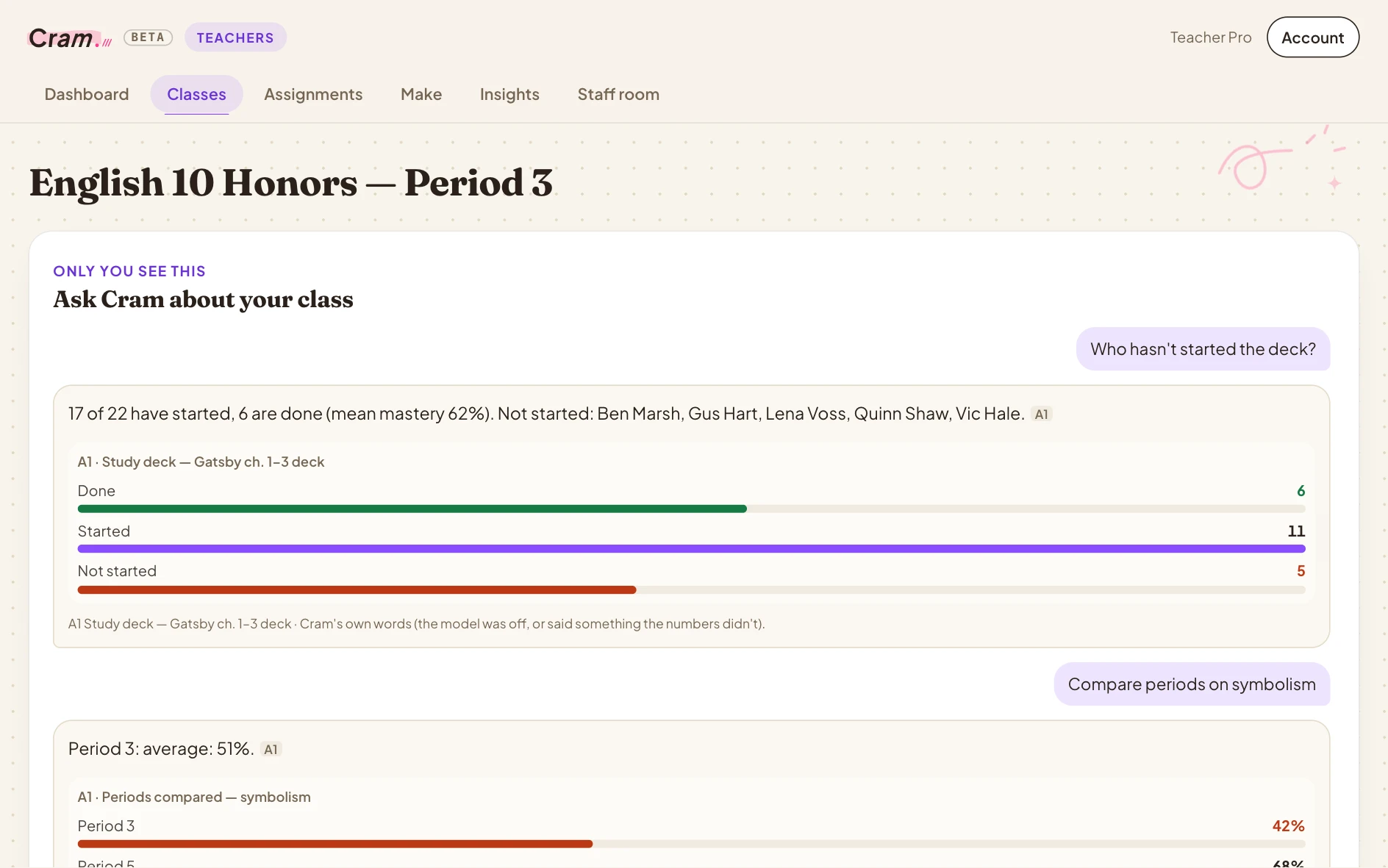
- Ask Cram anything about your class
- Did the reteach work? Cram checks
Where they're stuck. Cram's summary of what most of the class got wrong and why, then each concept with the common mistake and a five-minute fix-up.
You see the class. Each student gets a tutor.
Maya is in Period 4. When she drops the sign on Quiz 3.2, you see it in Insights — and Cram Sense works out why for her, traces it back to sign rules in Unit 1, and adapts her practice, her flashcards and her plan before Friday. Point it at what matters with Focus, and it weighs your priorities in every student's plan.
See how Cram Sense works →It's a lot. Here's all of it.
The parts of an LMS you actually use, plus the parts you've always done by hand.
Every teacher, every class, one place.
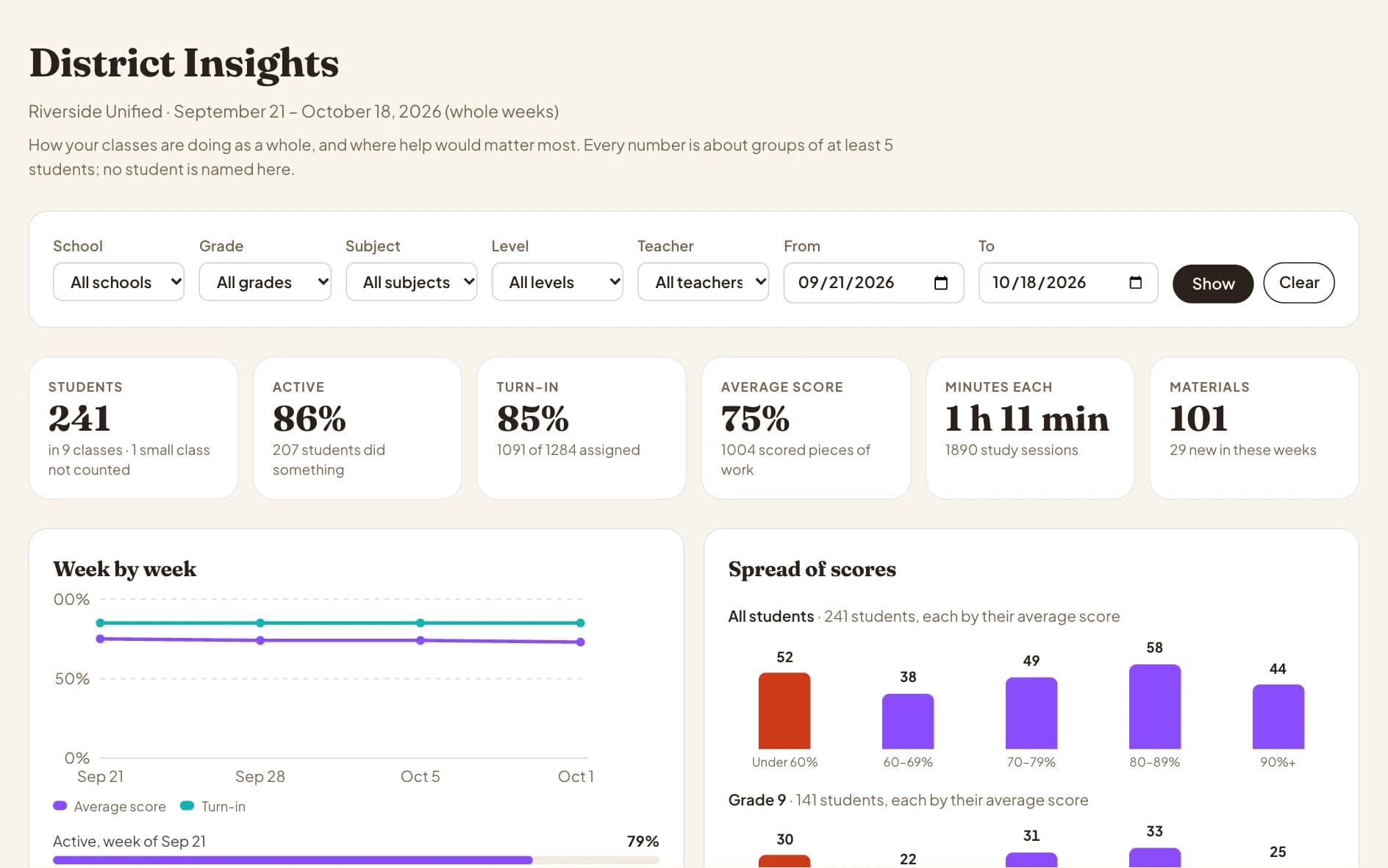
Give every teacher Cram Class, and see how it's going across buildings — without another login for students to forget.
District Insights. How classes are doing across schools, grades and courses — groups of students only, never a name.
Safe for students. Simple for IT.
The promises that matter most when it's kids' work.
Straight answers.
Can Cram Class really replace Canvas?
For running a class — your course page, assignments, quizzes, online submissions, grading and gradebook — yes, and you can bring your Canvas course over. If your district depends on Canvas for things like rostering from your student information system or LTI apps, Cram Class works alongside it: import courses in, export grades out in Canvas format.
What does it cost?
Teacher Pro is free for school staff, and verification is usually instant. It includes auto-grading on your answer key. Proposed grades on written work come with Teacher Max and District plans.
How do students join?
With a join code or a QR code for each class period. You approve who gets in, and can remove anyone.
Does the AI grade for me?
It proposes; you decide. Keyed answers are graded automatically. Written answers get a proposed grade on your rubric that you approve, change or throw out — and an answer that tries to talk the grader into full credit gets nothing and gets flagged.
What about student privacy?
Cram never shows ads to school accounts or anyone under 13, doesn't sell student information, and the AI companies it works with aren't allowed to train on it. Students under 13 need a parent's consent, which districts can manage.